
14 Best Themify WordPress Themes and Plugins Compared - 2026
Last modified: October 13, 2026

Yes, Themify costs money, though its free Builder plugin covers the basics on WordPress.org. A single theme is $59 (Standard) or $69 (Developer, which adds the Photoshop design files). The Master Club gives you all 42 Themify themes and 11 plugins for $89 per year, and the Lifetime Club is a one-time $249. Every option includes the Themify Builder, a full year of updates and support, and a 30-day money-back guarantee. Want to see which sites already run a Themify theme before you buy? Paste any live URL into the free ScanWP scanner and it names the WordPress theme and plugins in seconds. Here is how the plans compare:
| Plan | Price | What you get |
|---|---|---|
| Single theme (Standard) | $59 one-time | One theme plus the Themify Builder and 12 bonus add-ons |
| Single theme (Developer) | $69 one-time | Standard plan plus the Photoshop (PSD) design files |
| Master Club | $89 per year | All 42 themes, 11 plugins, Builder Pro, PSD files and demos; one year of updates and support |
| Lifetime Club | $249 one-time | Everything in the Master Club with lifetime access, updates and support |
The Master Club at $89 a year is the pick for freelancers and agencies running many client sites, since one license covers unlimited personal and commercial projects. For a single site with one clear use case, a $59 Standard theme is the more targeted buy.
Themify is a WordPress theme and plugin company that has been building drag-and-drop tools since 2010. Their library covers niche themes for blogging, eCommerce, magazines, and portfolios, all built around the proprietary Themify Builder, which is bundled with every theme they sell. Individual themes start at $59 each; a Master Club membership gives you access to the entire library plus all Themify plugins for $89 per year. All purchases include a 30-day money-back guarantee and one year of support and updates.
Themify differs from competitors like Elegant Themes (Divi) in two main ways: it sells purpose-built themes for specific site types rather than one multipurpose theme, and its Builder uses a module system where you activate only the features you need. Divi and Elementor load their full framework on every page; Themify Builder loads only the modules you turn on, which keeps page weight predictable. Developers and designers who want a clean starting point with a specific layout focus (eCommerce, landing pages, editorial) get more control from a Themify theme than from an everything-included multipurpose option.
Is Themify Free? How Much Does Themify Cost?
Themify themes are not free, but they are competitively priced compared to alternatives like Divi ($89/year) and Avada ($69). Here is the full breakdown:
- Individual themes: $59 per theme, includes Themify Builder, one year of support and updates, and a 30-day money-back guarantee
- Master Club membership: $89/year for access to all 42 Themify themes, all 11 Themify plugins, and all add-ons
- Lifetime access: Available as a one-time purchase; pricing varies but is typically offered as a promotional option during checkout
- Themify Builder (standalone): The Themify Builder plugin is available for free on WordPress.org with limited features; the Pro version is bundled with any theme purchase
The Master Club at $89/year is the best value if you plan to use more than one Themify theme or want access to their plugin library. For a single site with one specific use case, a $59 individual theme is the more targeted option.
Is Themify Legit?
Yes, Themify is a legitimate WordPress theme company with over 15 years of operation and more than 100,000 customers. They have been selling themes and plugins since 2010, maintain active product updates, and offer a 30-day money-back guarantee on all purchases. Their themes are on ThemeForest and sold directly through their site. Customer support is available via ticket, and their documentation covers all major use cases. Themify is a safe purchase.
Themify Coupon Code
Themify releases discount codes through their newsletter and promotional campaigns several times a year. The most reliable ways to find an active Themify coupon are:
- Signing up for the Themify newsletter, which is where most promotional codes are first distributed
- Checking the Themify blog during Black Friday, Cyber Monday, and anniversary sales, where discounts of 20-40% are common
- Looking at the Themify pricing page directly, as active site-wide promotions are often displayed there
At the time of writing, no universal Themify coupon code is publicly available, but promotional discounts appear several times per year. The Master Club at $89/year is already discounted compared to buying themes individually at $59 each, so the annual subscription tends to be the best everyday value without a coupon.
Themify Discount: When Are Sales Offered?
Themify runs discounts at predictable points in the year:
- Black Friday and Cyber Monday: The largest annual sale, typically 25-40% off all plans including the Master Club and Lifetime Club
- Anniversary sale: Themify has offered anniversary discounts in the past, usually 20-30% off
- Newsletter-only codes: Smaller one-time discount codes distributed to email subscribers, typically 10-15% off individual themes
If you are buying a single theme at $59, a Black Friday themify discount brings the effective price to roughly $35-45. For the $89/year Master Club, a 30% discount is $62 — comparable to a single theme license with full library access.
Themify vs Divi: Key Differences
The most common comparison for Themify buyers is against Elegant Themes and its flagship Divi product. Here is how they differ:
- Price: Themify individual themes start at $59; Master Club is $89/year. Divi charges $89/year for the theme plus builder, or $249 for lifetime access. Comparable pricing at the annual level.
- Builder approach: Divi uses a visual builder across any theme. Themify Builder ships bundled with each purpose-built theme, so the design and builder are matched rather than generic.
- Theme variety: Themify has 42 niche themes (eCommerce, events, portfolios, magazines). Divi offers one multipurpose theme with starter packs.
- Performance: Themify Builder uses an optional module system — you load only what you activate. Divi’s builder loads its full framework regardless of what any given page uses.
- Best for: Themify suits buyers who want a dedicated theme for a specific site type. Divi suits buyers who want one theme that handles everything with maximum design flexibility.
Themify: Pros and Cons
If you are evaluating Themify against other theme providers, here is a straightforward summary:
- Pros: Purpose-built themes for specific use cases; Themify Builder included with every theme; 30-day money-back guarantee; Master Club is good value if you use multiple themes; Builder module system keeps performance predictable
- Cons: Proprietary page builder means switching themes later requires rebuilding your layout; smaller ecosystem of third-party add-ons compared to Elementor or Divi; fewer free starter sites than Divi’s library
The 14 Best Themify WordPress Themes and Plugins
This list covers 14 of the best Themify WordPress themes and plugins, starting with their most versatile options and moving through niche-specific picks. If you want to check whether a site is already running a Themify theme, the ScanWP scanner detects WordPress themes on any live site.
| # | Name | Image | |
|---|---|---|---|
| 1 |
Ultra-Powerful and Flexible WP Theme
|
|
More Info
|
| 2 |
Landing-Create Beautiful Landing Pages
|
|
More Info
|
| 3 |
Infinite-Create Infinite Posts
|

|
More Info
|
| 4 |
Stack-Responsive Theme
|

|
More Info
|
| 5 |
Split-Create a Split Effect on Your Site
|

|
More Info
|
| 6 |
Themify Builder-Intuitive Page Designer
|
|
More Info
|
| 7 |
Event-Music/Entertainment Theme
|

|
More Info
|
| 8 |
Minshop-eCommerce Theme
|

|
More Info
|
| 9 |
Store Locator-Put Store Locations on a Map
|

|
More Info
|
| 10 |
Magazine-Build Your One of a Kind Magazine
|

|
More Info
|
| 11 |
Post Type Builder-Drag and Drop Interface Plugin
|

|
More Info
|
| 12 |
Notes-Responsive Theme
|

|
More Info
|
| 13 |
Funki-Artsy WP Theme
|

|
More Info
|
| 14 |
Grido-Tumblr-like Theme
|

|
More Info
|
* This button will show the rest of the post and open up an offer from a vendor
Filter between free and paid
Ultra-Powerful and Flexible WP Theme
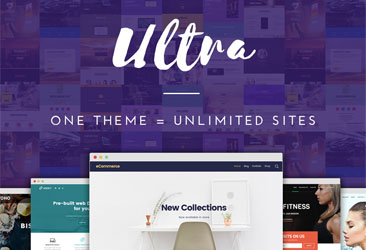
Ultra is Themify’s flagship multi-purpose theme and the most popular in their catalog. It ships with the Themify Builder and 12 optional add-ons, including Slider, Maps, Audio, Video, Instagram, and Typewriter effects. The add-on architecture is a meaningful design choice: instead of loading every feature by default, you activate only the modules you need. This keeps page weight lower than multipurpose themes that pre-load everything regardless of use.
Ultra includes 140+ pre-designed layout parts for quick page assembly, built-in image filters that apply CSS effects to section backgrounds, and full WooCommerce integration for online stores.
Key features of Ultra:
- 12 bonus add-ons (Slider, Maps, Audio, Video, Instagram, Typewriter, and more)
- 140+ pre-designed layout parts for page building
- WooCommerce integration with product pages and cart
- Built-in image filters and parallax scrolling for sections
- 30-day money-back guarantee
Landing-Create Beautiful Landing Pages
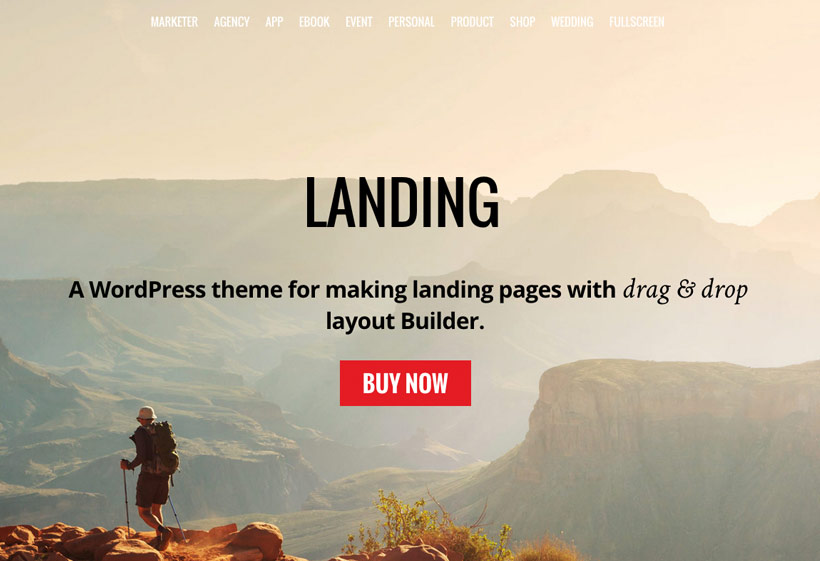
Landing is Themify’s conversion-focused theme, built specifically for single-product or campaign pages. Where most WordPress themes are designed around site-wide navigation, Landing keeps the emphasis on a single call to action per page, with no distracting menus or sidebars by default.
MailChimp integration is built in for capturing leads directly from the landing page, and the Themify Builder makes it straightforward to swap headlines, button copy, and imagery without code. Multiple header layout options let you test different page structures for the same campaign.
Key features of Landing:
- Multiple header layout options for conversion testing
- MailChimp integration for email lead capture
- Portfolio post type for product or service showcases
- Extensive landing page layout library
- Retina ready and responsive
Infinite-Create Infinite Posts
The Infinite theme uses WordPress infinite scroll so posts load continuously as visitors scroll down, removing the need for pagination. This keeps readers engaged without forcing a “next page” click, which works particularly well for high-volume blogs and news sites with frequent publishing schedules.
Themify Builder is included for customization, and WooCommerce integration lets you run a shop alongside blog content. The theme is WPML compatible for multilingual publishing. Infinite scroll works best for chronological content like blog posts and news feeds rather than portfolio or product grids, where navigation between discrete items matters more.
Key features of Infinite:
- Infinite scroll for continuous post loading
- WooCommerce integration
- WPML compatible for multilingual sites
- Demo import for quick setup
- Google Fonts and social icons
Stack-Responsive Theme
Stack is Themify’s take on the Metro tile-style layout, with a design inspired by the Windows 8 Metro grid aesthetic. The Tiles add-on is included and lets you arrange page sections in a mosaic or card grid, which is a clean look for portfolios, agency sites, and corporate pages displaying many distinct content types side by side.
WPML compatibility makes Stack a practical choice if you are building a multilingual corporate site that also needs Metro-style tile layouts, since the RTL and translation support works without additional plugins.
Key features of Stack:
- Tiles add-on for metro-style grid layouts
- More than 600 Google Fonts
- WPML compatible for multilingual sites
- Retina ready and fully responsive
- Hook content areas for per-section custom code
Split-Create a Split Effect on Your Site
Split is a distinctive Themify theme built around a split-screen scrolling effect: as you scroll from one content row to the next, the page divides horizontally with two panels that scroll independently. This works particularly well for before-and-after comparisons, agency case studies, and dual-offer landing pages where you are presenting two different options or perspectives side by side.
WooCommerce integration and a 30-day money-back guarantee are included alongside the core visual effect.
Key features of Split:
- Split-screen scrolling effect for two-panel layouts
- WooCommerce support
- 9 built-in skin color options
- Masonry layout and infinite scroll
- Split scrolling demo import included
Themify Builder-Intuitive Page Designer
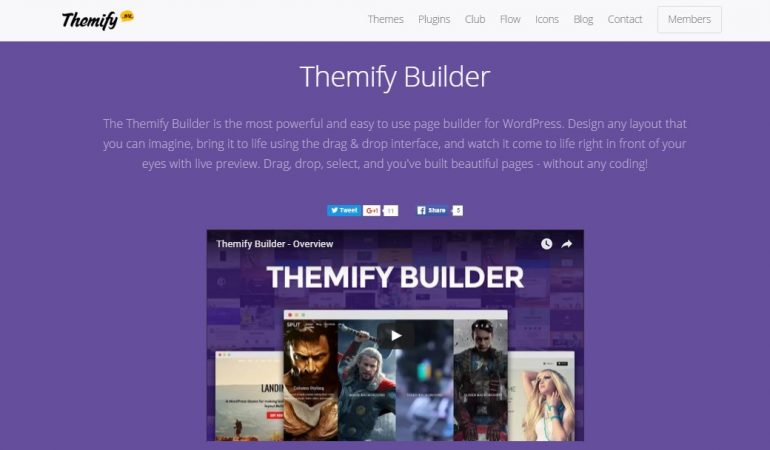
Themify Builder is a drag-and-drop page builder bundled with every Themify theme. The live preview mode shows layout changes in real time as you move rows, resize sections, and drop modules into place. You do not need to save and reload to see how a change looks.
The builder is multisite-compatible and translation-ready, which makes it suitable for WordPress networks and multilingual sites. It integrates out of the box with WooCommerce, Contact Form 7, Mailchimp, and Yoast. If you want to use Themify Builder without purchasing a Themify theme, it is also available as a free standalone plugin on WordPress.org.
Key features of Themify Builder:
- Live drag-and-drop editor with real-time preview
- Multisite network compatible
- Translation-ready with WPML support
- Works with WooCommerce, Contact Form 7, Mailchimp, and Yoast
- Available as a standalone free plugin on WordPress.org
- Extendable with add-ons for additional layout modules
Event-Music/Entertainment Theme
The Event theme is built for music venues, live entertainment businesses, bars, nightclubs, and other event-driven sites. It ships with three custom post types specific to this use case: Event, Gallery, and Video. These give you structured content areas separate from standard blog posts, keeping event listings, photo galleries, and embedded videos organized independently.
WPML compatibility makes it practical for multilingual event sites, and more than 600 Google Fonts are available for header and body text styling. Themify Builder is bundled for full-page layout control.
Key features of Event:
- Custom Event, Gallery, and Video post types
- WPML compatibility for multilingual sites
- 600+ Google Fonts
- Themify Builder included
- Fully responsive and retina-ready
- Hook content areas for per-section custom code
Minshop-eCommerce Theme
Minshop is Themify’s minimal WooCommerce theme, built specifically for product shops. The standout feature is an Ajax shopping cart: customers add and remove items without the page reloading, which keeps the checkout flow faster than a full-page redirect on each cart update. WooCommerce is required, and Minshop includes a custom layout for WooCommerce product pages that keeps the minimal design consistent across the store.
The theme is fully responsive across screen sizes and includes seven color skin options for aligning the look to your brand palette.
Key features of Minshop:
- Ajax shopping cart for fast add and remove actions
- Custom WooCommerce product page layout included
- 7 color skin options
- Responsive across all device sizes
- Social media icons
- Coded with HTML5 and CSS3
Store Locator-Put Store Locations on a Map
Store Locator is a Themify plugin for embedding a location directory into a WordPress site. Each entry can include a description, phone number, address, and business hours. When a visitor clicks a map marker, this information appears in a popup without leaving the page. Locations can display in map view, list view, or grid view, with no limit on how many locations you can add.
A shortcode generator is included so you can embed the map on any page or post without writing shortcode syntax by hand.
Key features of Store Locator:
- Unlimited store locations with individual details and hours
- Map, list, and grid display options
- Click-to-popup location info on map markers
- Shortcode generator for easy embedding
Magazine-Build Your One of a Kind Magazine
The Magazine theme is designed for editorial publications, news sites, and content-heavy blogs that need structured front-page layouts rather than a simple chronological post feed. A breaking news ticker in the header area adds an editorial feel, and the Themify Builder gives you full control over homepage section layout. Ad placement areas are built in for sites that run display advertising alongside editorial content.
The theme is responsive and retina-ready, with mega menu support for organizing large content archives. A 30-day money-back guarantee applies.
Key features of Magazine:
- Breaking news ticker for editorial sites
- Themify Builder for full homepage layout control
- Ad placement support built in
- Mega menu support
- Responsive and retina-ready
- 30-day money-back guarantee
Post Type Builder-Drag and Drop Interface Plugin
Post Type Builder is a Themify plugin for creating custom post types, taxonomies, and post type templates without writing code. The WordPress admin interface uses drag-and-drop to configure field types, taxonomy options, and template layouts. You assign a custom template to each new post type, so content displays as you designed it rather than inheriting a generic default theme template.
The plugin works with any WordPress theme, not just Themify themes, and is WPML-compatible for multilingual custom post types.
Key features of Post Type Builder:
- Custom post types, taxonomies, and templates without code
- Drag-and-drop admin interface for field configuration
- Compatible with any WordPress theme
- WPML support for multilingual post types
- Shortcode output for listing custom post type entries
- Extendable with PTB add-ons
Notes-Responsive Theme
Notes is a Themify theme built around WordPress post formats, which lets you publish images, videos, gallery posts, audio clips, quotes, and standard text entries within the same site. Each format has its own display treatment, so a photo post looks different from a quote or audio embed without requiring separate page templates.
The theme has a fluid layout that adjusts to any screen resolution, with seven skin options and child theme support for deeper customization. A 30-day money-back guarantee is included.
Key features of Notes:
- Full WordPress post format support (image, video, gallery, audio, quote)
- Fluid layout that adjusts to any screen size
- 7 theme skins
- Child theme support
- Threaded comments
- Coded with HTML5 and CSS3
Funki-Artsy WP Theme
Funki is a Themify theme with an artistic visual style suited to creative portfolios, design studios, and individual artists who want a more expressive look than a standard blog or corporate layout. The theme is fully responsive and cross-browser compatible with Chrome, Safari, Firefox, and Edge.
A social sharing widget is built in, and multiple ad post placements let you run advertising on the site. Fourteen skin color options provide significant visual variety. A 30-day money-back guarantee applies.
Key features of Funki:
- 14 theme skin options for creative variety
- Social sharing widget included
- Multiple ad placements supported
- Customizable slider
- Child theme support
- Responsive and cross-browser compatible
Grido-Tumblr-like Theme
Grido is a Tumblr-style WordPress theme with a masonry grid layout and automatic infinite scroll. Posts stack in a staggered grid and load as visitors scroll down, which suits high-frequency publishing schedules where chronological browsing through the archive is the main navigation pattern. WordPress post format support lets you vary content types within the same grid layout.
Social sharing icons are built in, and the theme includes header and footer custom menus with nine post gradient color options.
Key features of Grido:
- Masonry grid layout with automatic infinite scroll
- WordPress post format support for varied content types
- Social network sharing icons
- Header and footer custom menus
- 9 post gradient color options
- Coded with HTML5 and CSS3
Final Thoughts: Which Themify Theme Should You Choose?
If you want a single theme that handles any site type, start with Ultra. It is the most flexible Themify offers, with an add-on-based feature system that keeps performance in check compared to bloated multipurpose themes. For conversion-focused pages, Landing is purpose-built for lead generation and product launches. For content-heavy blogs and news sites, Infinite keeps visitors on the page longer by removing pagination entirely.
Themify themes are priced around $59 each, or you can access the full library through the Master Club subscription. All themes include the Themify Builder, a 30-day money-back guarantee, and one year of support and updates.
If you’re comparing theme providers, our roundup of Themeisle WordPress themes covers another well-maintained library, including their popular free options Neve and Hestia Pro.
- Ultra-Powerful and Flexible WP Theme
- Landing-Create Beautiful Landing Pages
- Infinite-Create Infinite Posts
- Stack-Responsive Theme
- Split-Create a Split Effect on Your Site
- Themify Builder-Intuitive Page Designer
- Event-Music/Entertainment Theme
- Minshop-eCommerce Theme
- Store Locator-Put Store Locations on a Map
- Magazine-Build Your One of a Kind Magazine
- Post Type Builder-Drag and Drop Interface Plugin
- Notes-Responsive Theme
- Funki-Artsy WP Theme
- Grido-Tumblr-like Theme
- Conclusion
Related Posts



 Website Maintenance – Use Promocode: scanwp
  Advanced JetPlugins for Elementor
  Semrush 14 days trial
  Kinsta – Managed WordPress Hosting
  Bluehost Hosting