7 Best Parallax WordPress Themes Compared – 2026
Last modified: June 29, 2026

Parallax scrolling themes for WordPress create a layered depth effect where the background shifts at a different speed from the foreground as visitors scroll. For the right site type, this makes for a noticeably more engaging first impression than static layouts. Here are the 7 best options, covering different use cases from one-page portfolios to multi-page business sites.
Which Parallax WordPress Theme Fits Your Project?
Before choosing a parallax theme, match it to your site type. The parallax scrolling effect suits some projects well and others poorly:
- One-page portfolio or agency site: The Moon or Corpus (both designed around single-page scrolling with parallax throughout every section)
- Multi-page business site with page builder: Divi or Ronneby (strongest for sites that need multiple page types, not just a single scroll)
- Portfolio with heavy image or video focus: 907 or Stash (both built around visual storytelling with animation support)
- Multi-purpose with easy customization: Stardust (11 homepage layouts, Slider Revolution included, lower price point)
What Makes a Good Parallax WordPress Theme?
The parallax effect itself is not what separates good themes from bad ones. Implementation quality matters more than whether the effect exists:
- Where parallax applies: Some themes apply the parallax scrolling effect only to the header background. Others, like The Moon, apply it to every section background as visitors scroll down the page. Full-page parallax is more immersive; header-only is more conservative.
- Page builder compatibility: Elementor, Divi Builder, and WPBakery handle parallax backgrounds differently. The Moon, 907, and Stash use WPBakery or their own builders. Divi uses the Divi Builder. Before buying, confirm your preferred page builder is compatible.
- Mobile behavior: Most mobile browsers disable CSS parallax effects for performance reasons. Check whether the theme falls back gracefully to a static background image on touch screens, or disables the parallax effect entirely.
- One-page vs multi-page structure: The parallax effect works best on one-page designs where sections reveal themselves progressively as the user scrolls. For multi-page sites, limiting parallax to hero sections is the better approach. Applying it to every section on every page slows load time and reduces its impact.
A Note on Free Parallax WordPress Themes
Free parallax WordPress themes are limited in quality and compatibility compared to the premium options below. If you need parallax scrolling on a tight budget, the more practical route is to use a free multi-purpose theme with Elementor Pro’s built-in parallax background setting or a dedicated parallax scrolling plugin. This gives you the WordPress parallax effect without purchasing a dedicated parallax theme.
All seven themes on this list are premium ThemeForest options, typically priced between $49 and $79 with one year of developer support included.
| # | Name | Image | |
|---|---|---|---|
| 1 |
The Moon
|
|
More Info
|
| 2 |
907
|
|
More Info
|
| 3 |
Corpus
|

|
More Info
|
| 4 |
Divi
|

|
More Info
|
| 5 |
Stash
|
|
More Info
|
| 6 |
Ronneby
|
|
More Info
|
| 7 |
Stardust
|
|
More Info
|
* This button will show the rest of the post and open up an offer from a vendor
Filter between free and paid
The Moon
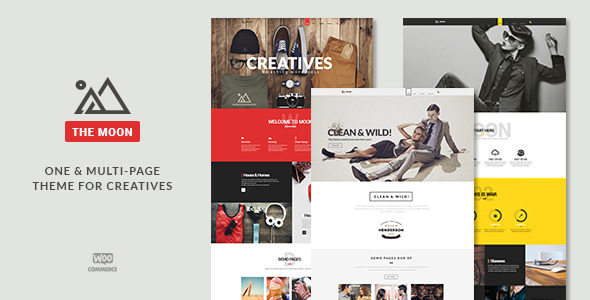
The Moon is a business-focused parallax WordPress theme that applies the parallax effect to section backgrounds throughout the page, not just the header. As visitors scroll, each content section reveals a new parallax background image shifting at a different depth from the foreground. Four demo versions are available for one-click import, each built around a different layout approach: portfolio-first, blog-first, store-first, and agency-style.
Three header styles give meaningful layout options: a standard fixed navigation bar, a transparent overlay header that sits over the opening parallax hero section (a clean look for portfolio and agency sites), and a hidden header that slides down when scrolling begins. WooCommerce integration handles payments via PayPal and Stripe without additional plugins.
Benefits of using The Moon:
- Parallax applied throughout the page, not just the hero section
- Three header styles including transparent parallax overlay
- WooCommerce with PayPal and Stripe integration
- Notification bar for announcements or promotional offers
- 620 Google Fonts for typography customization
907
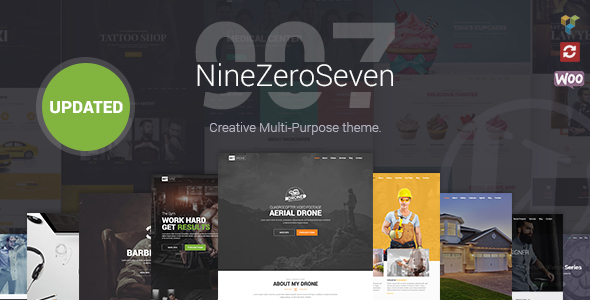
907 is a portfolio-focused parallax theme with one standout feature: hover-triggered video backgrounds. Rather than auto-playing a video when the page loads (which is slow and distracting), 907 holds the video until a visitor hovers over it. This is a better performance and UX pattern for sites where video content is secondary to the copy and portfolio work.
The theme bundles a complete premium plugin stack: WPBakery Page Builder for page layouts, Revolution Slider for image carousels, Cute 3D for three-dimensional effects, and Isotype for isotope grid filtering. For parallax portfolio sites where animation and visual layering are central to the design, 907 provides more built-in tooling than most themes in this price range.
Benefits of using 907:
- Hover-triggered video backgrounds (no auto-play, better performance)
- WPBakery Page Builder, Revolution Slider, Cute 3D, and Isotype included
- Isotope grid filtering for portfolio project display
- WooCommerce compatible for selling products or services
- Fully responsive with multiple portfolio display options
Corpus
Corpus is a one-page parallax WordPress theme built around portfolios and agency sites. It applies parallax scrolling to section backgrounds throughout the page, not just the opening hero. The anchor navigation menu starts hidden and slides into view as visitors begin scrolling, keeping the top of the page clean for the parallax hero section.
One practical feature is the hidden side navigation: rather than showing the scrollbar on the side of the viewport, Corpus can replace it with a hidden side nav that reveals itself on hover. This encourages visitors to scroll through the page as intended rather than jumping to the end. Over 300 theme options make it nearly impossible for two Corpus sites to look the same.
The included Visual Builder handles layout editing without code, and Revolution Slider is bundled for image carousels and animated banners. Demo import is one-click.
Benefits of using Corpus:
- Parallax applied to every section background, not just the header
- Slide-in anchor navigation menu on scroll
- Hidden side navigation for minimal-chrome designs
- 300+ theme options for deep visual customization
- Revolution Slider and Visual Builder included
Divi
Divi is the most flexible parallax WordPress theme on this list because the parallax effect is controlled at the section level inside the Divi Builder. You can apply parallax backgrounds to some sections and flat backgrounds to others on the same page, which is not how most dedicated parallax themes work. This per-section control makes it easier to build varied page layouts without every section looking the same.
Divi also supports video parallax backgrounds: you can set a looping video as a section background and apply the parallax scrolling effect to it. The built-in A/B testing module is worth noting for landing pages where you want to test which parallax hero section converts better.
Over 800 pre-built layouts are available in the Divi library, spanning cafes, restaurants, photography, agencies, and software companies. Unlike the ThemeForest options here, Divi uses a subscription license (yearly or lifetime) rather than a one-time purchase per site.
Benefits of using Divi:
- Section-level parallax control: mix parallax and flat backgrounds on the same page
- Video parallax backgrounds supported natively
- 800+ pre-built page layouts for rapid development
- Built-in A/B testing for conversion optimization
- Yearly or lifetime subscription license
Stash
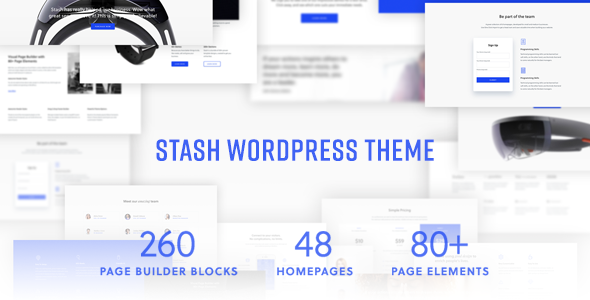
Stash is built for portfolio sites that make images and visual storytelling the primary draw. Over 30 portfolio demos are available for one-click import, each designed around a different layout style: fullscreen grid, masonry, carousel, and filtered gallery formats are all represented. The 260+ block builders let you construct page sections from predefined blocks without a full page builder.
Video backgrounds work alongside the parallax scrolling effect: you can set a looping video as a section background with parallax applied to it. WooCommerce integration handles selling products or services directly from the portfolio, with Stripe and PayPal payment support.
The theme bundles WPBakery (Visual Composer), Slider Revolution, WPML for multilingual sites, and WooCommerce, avoiding the need to purchase these separately.
Benefits of using Stash:
- 30+ portfolio demos with one-click import
- 260+ page builder blocks for custom section layouts
- Video backgrounds with parallax scrolling effect
- WPBakery, Slider Revolution, WPML, and WooCommerce bundled
- Unlimited color options and advanced typography controls
Ronneby
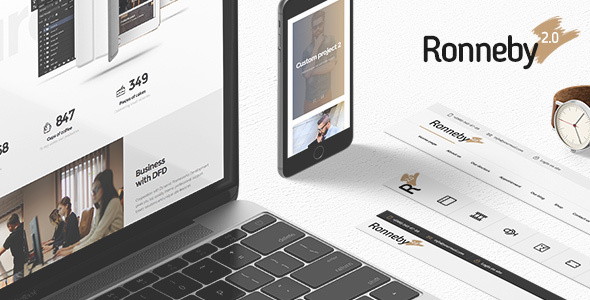
Ronneby is one of the most comprehensive multi-purpose parallax WordPress themes on ThemeForest, with over 40 one-click demo layouts covering agencies, portfolios, stores, photography, restaurants, and corporate sites. That range makes it a practical starting point for projects where the final design direction isn’t fully defined yet.
The parallax effect applies to section backgrounds throughout the page and handles content-heavy multi-page sites without sacrificing load speed. For sites that combine content sections with e-commerce, Ronneby’s WooCommerce integration is solid. The theme’s longevity on ThemeForest means a well-documented support base and a development team that actively maintains compatibility with current WordPress versions.
Benefits of using Ronneby:
- 40+ demo layouts covering a wide range of site types
- Suitable for multi-page sites as well as one-page designs
- Handles content-heavy pages without load speed issues
- WooCommerce compatible for stores combined with content pages
- Active development and comprehensive support documentation
Stardust
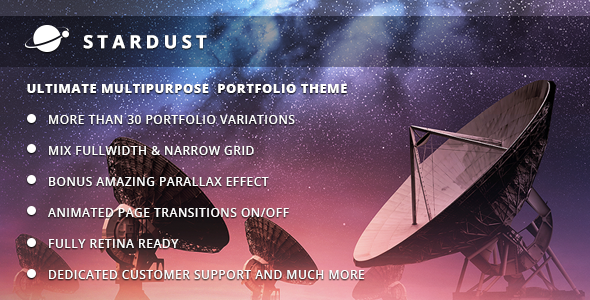
Stardust offers one of the lower price points among the premium parallax WordPress themes on this list, making it a practical starting point for projects with a tighter budget. Eleven homepage layouts give clear direction for different site types: agency, portfolio, creative, and corporate layouts are all included.
Each page can have a custom header with its own background image, height, and layout, or a slider built with the included Slider Revolution. Shortcode support covers counters, progress bars, galleries, and grids, which are useful for adding interactive elements without a full drag-and-drop builder. The theme’s SEO-ready code structure means you can enter page-level meta data for each page without an additional plugin.
Benefits of using Stardust:
- 11 homepage layouts covering agency, portfolio, creative, and corporate designs
- Custom headers per page with independent height and background settings
- Slider Revolution included
- Shortcodes for counters, progress bars, galleries, and grids
- 500+ Google Fonts and unlimited color options
Final Thoughts on Parallax WordPress Themes
These parallax WordPress themes are among the more engaging design styles available. They draw visitors in with scroll-triggered depth effects and, for well-coded themes, are typically quick to load despite the visual complexity.
A few practical notes before buying: check what image rights come with the theme demo , some themes include images that cannot be used in production, so you will need to source your own. For mobile performance, test any parallax theme on an actual mobile device before launch, as the scrolling effect behaves differently on touch screens compared to desktop.
For specific use cases: The Moon and Corpus stand out for polished one-page portfolio sites. Divi is the strongest choice when you need full page builder flexibility across many site types. Ronneby handles content-heavy multi-page sites that need parallax sections without sacrificing load speed. If you also want to explore distinctive scrolling effects beyond parallax, split scrolling WordPress themes divide the screen into two independent panels for a different visual approach.
For sites that want scroll animations without switching to a full parallax theme, our guide on how to add scroll effects in WordPress covers plugin, theme, and CSS approaches.
Related Posts



 Website Maintenance – Use Promocode: scanwp
  Advanced JetPlugins for Elementor
  Semrush 14 days trial
  Kinsta – Managed WordPress Hosting
  Bluehost Hosting