
WordPress Blog Templates: 13 Blog Themes Compared - 2026
Last modified: October 29, 2026

Yes, WordPress has blog templates, and there are thousands of them. A WordPress blog template is simply a theme built for publishing articles, and you can pick one free from the WordPress.org directory or buy a premium theme from a theme shop. This guide compares the best WordPress blog templates for 2026, grouped by niche and lined up side by side on price, page builder and how recently each one was updated, so you can match a template to the kind of blog you want to run.
Choosing well matters because the template sets your layout, your typography and how fast your pages load before you write a single word. If you have not set up your site yet, start with our guide on how to start a WordPress blog, then come back and choose a design from the list below.
WordPress blog templates compared at a glance
None of the big blog template roundups put price, builder and update date in one place. This table does. Every theme below is still available and still maintained unless its update date says otherwise.
| Blog template | Price | Builder | Best for | Last updated |
|---|---|---|---|---|
| Astra | Free, Pro from about $49/yr | Block and Elementor | Any niche, beginners | Oct 2026 |
| Neve | Free, Pro upgrade | Block and Elementor | Fast all-purpose blogs | Oct 2026 |
| GeneratePress | Free, Premium about $59/yr | Classic and block | Lightweight, speed | Dec 2025 |
| Nisarg | Free | Classic customizer | Clean minimal blogs | Jul 2026 |
| Bento | Free | Block and page builders | Minimal personal blogs | Maintained |
| Hemingway | Free | Classic customizer | Simple writing blogs | Dec 2022 |
| Ashe | Free, Pro upgrade | Classic and Elementor | Personal, food, lifestyle | Oct 2026 |
| Hueman | Free | Classic customizer | Magazine, multi-author | Dec 2024 |
| ColorMag | Free, Pro upgrade | Classic and Elementor | News and magazine blogs | Sep 2026 |
| Twenty Twenty-Five | Free | Block, full site editing | Modern no-code blogs | May 2026 |
| Kadence | Free, Pro upgrade | Block editor first | Gutenberg blogs | Jul 2026 |
| Blocksy | Free, Pro from about $49/yr | Block, full site editing | Future-proof block blogs | Oct 2026 |
| MyThemeShop Schema | Paid, about $39 | Classic | SEO-focused blogs | Actively sold |
All-purpose WordPress blog templates that fit any niche
If you are not sure which direction your blog will take, start with a flexible WordPress blog template that can be restyled later without changing themes.
Astra
Astra is the most installed WordPress blog template of this group, with more than a million active sites. It is free, loads fast and ships with ready-made starter designs you can import in a click, including blog layouts. The free theme covers most bloggers, and a Pro upgrade from around $49 a year adds extra headers, colors and layout controls. It works with the block editor and with Elementor, so you are not locked into one way of building.
Neve
Neve is a lightweight all-purpose theme that suits a blogger who wants speed without much setup. The free version is generous, the layouts are mobile first, and it pairs cleanly with both the block editor and Elementor. Pick Neve if you want a fast, tidy blog template that stays out of your way.
Minimal, reading-first blog templates
These WordPress blog templates strip the design back so your writing is the focus. They are a strong match for a text-heavy personal blog or a WordPress blog post template that puts the article front and center.
GeneratePress
GeneratePress is the choice for bloggers who care most about speed and clean code. The free theme is tiny and quick, and the Premium add-on, around $59 a year, unlocks a full library of blog site templates and deeper design settings. It works with the classic editor and the block editor and rarely gets in the way of your content.
Nisarg
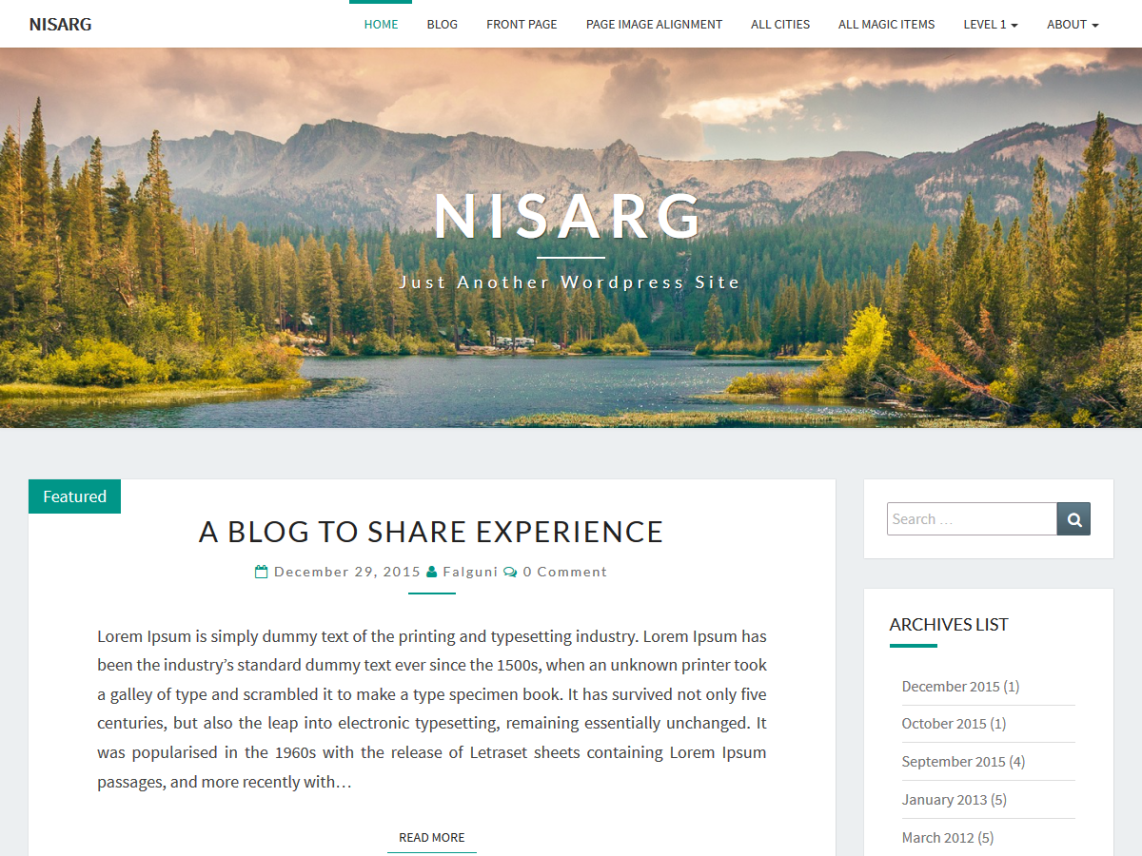
Nisarg is a free WordPress blog template with a clean design, a large header image and support for several post formats including gallery, audio, video and quote. You set it up through the WordPress customizer, so there is nothing complicated to learn. It is a good free pick for a simple, good-looking blog. Download it from the WordPress theme directory.
Bento
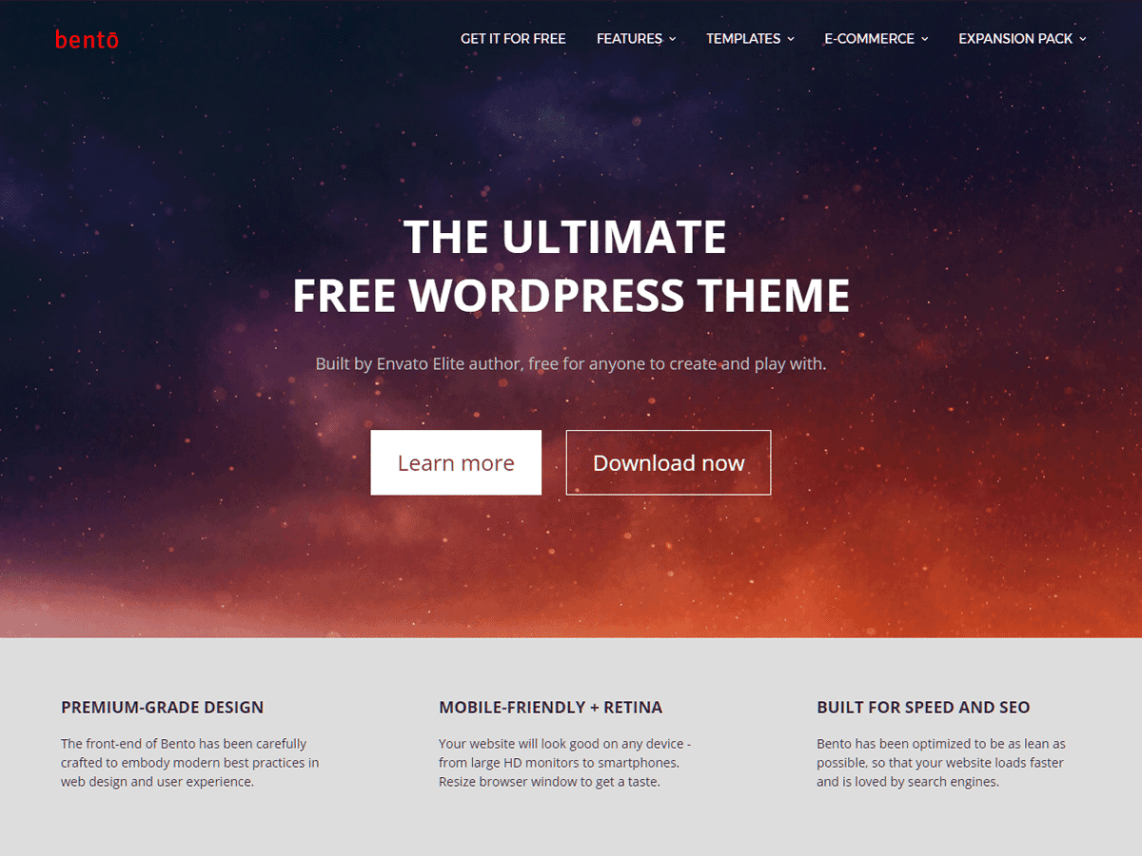
Bento is a free, multi-purpose WordPress blog template built to work with a range of page builder plugins, and it even recommends which ones suit the way it is built. You get plenty of customization through the built-in customizer, and the theme is released under a full GPL license with regular updates. Grab it from Satori Studio.
Hemingway
Hemingway is a free, two-column blog template with a large featured header and a simple, typography-led layout. It is a classic customizer theme, so it is easy for a beginner to set up. Its last update was a while ago, so test it against your current WordPress version before committing, but it remains a tidy option for a straightforward writing blog.
WordPress blog templates for personal, food and lifestyle blogs
Ashe
Ashe is a free personal and multi-author WordPress blog template aimed squarely at lifestyle, food and personal bloggers. It has a warm, modern feel, works with the classic editor and with Elementor, and ships with a Pro upgrade if you want more layouts and features later. If your blog is about recipes, travel diaries or day-to-day life, Ashe is an easy starting point.
WordPress blog templates for magazine and news blogs
Running a high-volume blog with many categories and authors needs a denser layout than a personal journal. These templates are built for that.
Hueman
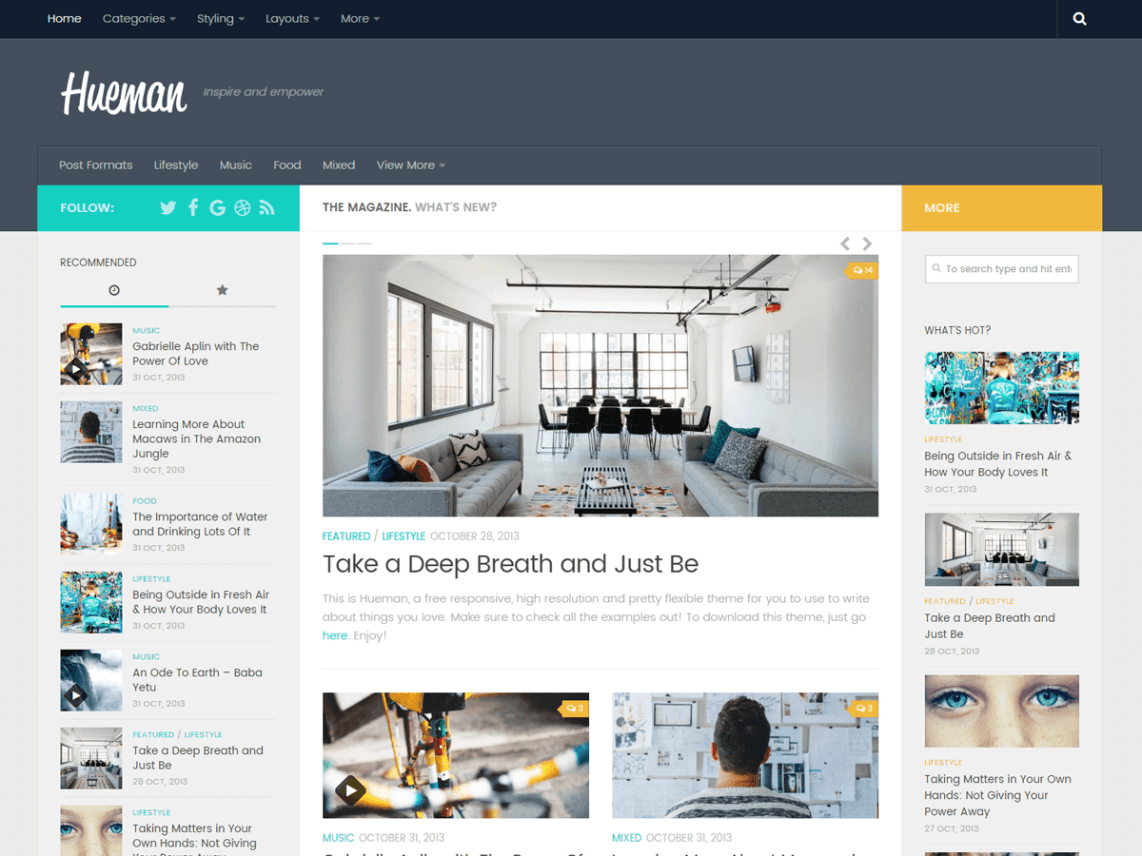
Hueman is a free, popular magazine-style WordPress blog template used on more than twenty thousand sites. It gives you a multi-column front page, featured post areas, two navigation menus and support for custom colors and background images, all through the customizer. It is a solid free pick for a news site or a busy multi-author blog. Download it from the WordPress theme directory.
ColorMag
ColorMag is a free news and magazine WordPress blog template designed for portals that publish a lot. It offers several homepage layouts, category color coding and compatibility with the classic editor and Elementor, with a Pro version for extra designs. Choose it if your blog looks more like an online magazine than a diary.
Block-editor blog templates for Gutenberg and full site editing
If you want to build and edit your whole blog with native WordPress blocks and no page builder plugin, pick a block template. These let you edit headers, footers and post layouts from the Site Editor.
Twenty Twenty-Five
Twenty Twenty-Five is the free default WordPress block template, and it is a genuinely good blog theme. Because it supports full site editing, you can redesign every part of the layout with blocks and patterns, no code needed. It is the simplest way to get a modern, no-code WordPress blog template that will stay compatible with new WordPress releases.
Kadence
Kadence is a free theme with the best integration with the block editor in this list. It ships dozens of free starter templates, many Pro ones, and a header and footer builder that works inside Gutenberg. If you plan to build your blog with blocks, Kadence gives you the most control for free.
Blocksy
Blocksy is a block-first, full site editing WordPress blog template built for long-term compatibility. The free version is strong, the design options are deep, and a Pro upgrade from around $49 a year adds advanced features. It is a smart pick if you want a future-proof blog template that leans fully into native WordPress blocks.
A premium WordPress blog template from a theme shop
MyThemeShop Schema
If you would rather buy a theme built for search performance, Schema from MyThemeShop is one of the fastest SEO-ready blog templates around, priced at about $39. It is a classic-editor theme tuned for speed and rich snippets, which makes it a good fit for a blogger who treats search traffic as the priority. MyThemeShop also offers a membership if you want several of their themes and plugins together.
How to choose a WordPress blog template
Work through five quick questions before you pick a blog template for your WordPress site:
- Niche: a food or personal blog wants a warm, image-led design, while a news blog wants a dense magazine layout.
- Builder: decide whether you will edit with the block editor, with Elementor, or with the classic customizer, and pick a template that matches.
- Speed: a lighter theme loads faster, which helps both readers and search rankings. Lightweight picks like GeneratePress, Astra and Neve are safe here.
- Free or premium: start free if you are testing an idea, and upgrade once the blog earns its keep.
- Updates: check the last-updated date, shown in the table above. A template that has not been touched in years can break with new WordPress versions.
Not sure which template a blog you admire is using? Paste its address into our WordPress theme detector and it will tell you the theme and plugins behind the site.
Free vs premium WordPress blog templates
A free WordPress blog template is enough to launch a good-looking blog, and most names on this list, Astra, Neve, Kadence, Blocksy and GeneratePress among them, have free versions that cover the basics well. Premium templates and Pro upgrades are worth paying for once you need specific layouts, extra header and footer options, priority support or a design that is tuned for a single niche. The sensible path is to start on a free blog template, publish for a while, then upgrade the same theme to its Pro tier rather than switching designs and losing your settings.
How to add a blog template in WordPress
Adding a WordPress blog template takes a minute. From your dashboard go to Appearance, then Themes, then Add New. Search for any free template by name, click Install, then Activate. For a premium theme, download the zip file from the theme shop, then use Upload Theme on the same screen to install it. Once the template is active, open Appearance then Customize, or the Site Editor for a block theme, to set your logo, colors and blog layout.
Frequently asked questions
Does WordPress have blog templates?
Yes. WordPress has thousands of blog templates, which are called themes. You can install a free one from the WordPress.org theme directory in a few clicks, or buy a premium blog template from a theme shop. Block themes also include ready-made patterns you can drop into a blog layout.
Can I use a blog template with Elementor?
Yes. Many of the templates here, including Astra, Neve, Ashe and ColorMag, are built to work with Elementor. For full control over your single post design you use Elementor Pro and its Theme Builder, which lets you create a custom WordPress blog post template and preview it on a real article.
What is the difference between a WordPress theme and a blog template?
In everyday use they mean the same thing. A WordPress theme controls the design of your whole site, and a blog template is a theme set up for publishing articles. Some themes also include individual page templates, such as a full-width or sidebar layout, that you pick per page inside the editor.
Are free WordPress blog templates good enough?
For most blogs, yes. Free templates like Twenty Twenty-Five, Astra and GeneratePress are fast, well coded and regularly updated. You usually only need a premium template when you want a niche-specific design, more layout options or dedicated support.
Final thoughts
There is no single best WordPress blog template, only the right one for your niche, your builder and your budget. For a fast start that fits any topic, Astra or Neve are safe. For a reading-first blog, GeneratePress or Nisarg work well. For a magazine, reach for Hueman or ColorMag, and for a fully modern block site, Twenty Twenty-Five, Kadence or Blocksy. Pick one, check it loads quickly, and start publishing.
Related Posts



Offers & Promos
 Website Maintenance – Use Promocode: scanwp
 Advanced JetPlugins for Elementor
 Semrush 14 days trial
 Kinsta – Managed WordPress Hosting
 Bluehost Hosting
One thought on “WordPress Blog Templates: 13 Blog Themes Compared - 2026”
Comments are closed.
best template I have ever seen now thank you