
12 Best Easy To Use WordPress Themes Compared - 2026
Last modified: June 10, 2026

For most people, the easiest WordPress themes to use are ones that come with a built-in drag-and-drop page builder or pair cleanly with one. Themes like Divi and Avada have their own visual editors baked in, so you can build pages without touching code. If you prefer a lighter starting point, Astra and Hello Elementor are bare-bones themes designed to work with Elementor or other builders, giving you speed and flexibility without the bloat. Either approach works well — it just depends on whether you want everything in one package or want to pick your own builder.
The Advantages Of Easy To Use WordPress Themes
Easy to use WordPress themes save you time. Instead of troubleshooting layout bugs or decoding theme settings, you can focus on writing content, building links, and growing your audience. That time adds up quickly, especially if you’re running your site solo or alongside a business.
They also tend to be more reliable. Complex themes with heavy feature sets often carry more code than you actually need, and that creates more places for things to go wrong. A bloated theme can slow your load times, introduce display errors, or conflict with plugins. Any of those issues can hurt your search rankings or push visitors away before they convert.
Simpler themes are generally lighter, too. Faster load times improve user experience, and Google treats page speed as a ranking signal. If your theme sheds unnecessary scripts and stylesheets, your site will feel snappier on mobile and desktop alike — and that matters for both visitors and search engines.
What Attributes Are You Looking For In An Easy To Use WordPress Theme?
Not all “easy” themes are the same. Here are the five attributes worth checking before you commit to one:
1. Drag-and-drop builder support. Whether the builder is built into the theme or the theme is designed to work with a third-party builder like Elementor or Beaver Builder, visual editing is what makes page design accessible to non-developers.
2. One-click demo import. A good demo importer lets you load a ready-made site layout in seconds. You swap out the text and images and you’re done — no building from a blank canvas.
3. Simple Customizer options. The fewer screens you have to click through to change a color, font, or layout setting, the better. Look for themes that surface the most useful controls in the WordPress Customizer or their own settings panel without burying them.
4. Good documentation and active support. Even the simplest themes have a learning curve. Themes with clear written docs, video tutorials, and responsive support forums save you hours when you hit a wall.
5. Regular updates. WordPress updates frequently, and themes that aren’t maintained can break when the platform moves forward. Check the last update date in the theme directory before installing anything.
Just because a theme is easy to use doesn’t mean it lacks depth. Most of the 12 themes on this list are genuinely capable — they just don’t make you work hard to get there.
| # | Name | Image | |
|---|---|---|---|
| 1 |
Renden eBusiness
|

|
More Info
|
| 2 |
Crafto
|
|
More Info
|
| 3 |
Kallyas
|

|
More Info
|
| 4 |
Jupiter
|

|
More Info
|
| 5 |
HAZEL
|
|
More Info
|
| 6 |
Avada
|

|
More Info
|
| 7 |
Astra
|
|
More Info
|
| 8 |
Divi
|
|
More Info
|
| 9 |
Jevelin
|
|
More Info
|
| 10 |
Monstroid2
|
|
More Info
|
| 11 |
Sydney Pro
|

|
More Info
|
| 12 |
Werkstatt
|

|
More Info
|
* This button will show the rest of the post and open up an offer from a vendor
Filter between free and paid
Renden eBusiness
Renden eBusiness is a free multi-purpose professional theme that is perfect for any business or blog venture. The theme is fully responsive, so will look great on any device and is HD retina ready, so it looks stunning. There are lots of powerful theme options that are easily accessible from the theme options panel that makes it easy to customize the theme’s design without needing to know any coding.
Adding your own branding is simple and there is a built-in homepage layout. This theme is compatible with many top plugins including many page builders, WooCommerce, WPML, Travel Map and others.
Renden eBusiness Highlights:
- A free WordPress theme.
- Lots of customization options.
- Easy to upload your own logo for branding.
- Comes with full width, easy to use slider for customer engagement.
Crafto
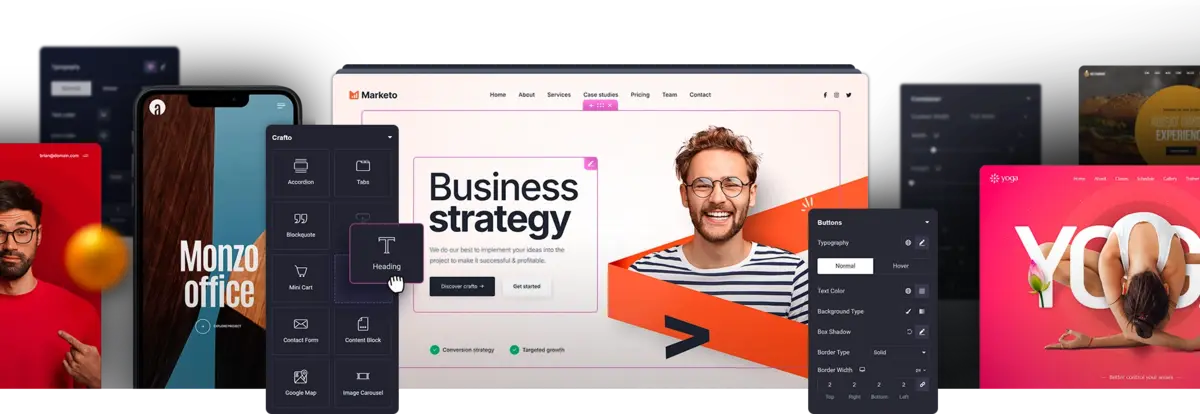
Crafto is an AI-powered multipurpose WordPress theme crafted for ultimate creativity and performance. Designed to work seamlessly with Elementor, it offers a perfect balance of style, speed, and flexibility. Whether you’re building a portfolio, online store, or agency website, Crafto gives you the tools to design without limits.
Crafto Highlights
- A vast collection of ready-made layouts to help you build quickly and beautifully
- Dozens of premium design elements that add polish and personality to every page
- A rich library of pre-built demos covering creative, business, and eCommerce niches
- Endless template combinations to let your imagination lead the design
- Optimised coding and design for faster performance and smoother browsing
Kallyas
This is a high quality WordPress theme that is perfect for those who want a theme that is easy to use and maintain. It is perfect for those who also want an eCommerce element to their website. Building your website is easy, thanks to the inclusion of Visual Composer page builder. It is as simple as selecting and dragging the elements you want to the section of the website page. There are more than 100 elements to choose from, so the potential final designs are endless.
The clean code and Smart Loader plugin make this theme a great one for those concerned about user experiences and website speed. Plus, due to the enhancements these offer to your visitors’ experience, you’re more likely to rank highly on Google and other search engines.
Kallyas Highlights:
- Numerous demo sites that can be used to start designing your website quickly.
- Fully compatible with lots of premium plugins, such as BBPress and BuddyPress.
- Fully responsive, so can be viewed on any design and retain the perfect appearance.
- More than 100 elements to make your website unique and feature rich.
Jupiter
Jupiter offers you pixel perfect design for any website project you might have. There are lots of different demos available for this theme that makes it a great choice for those that are building websites on a regular basis and want one theme they can tailor to the specific needs of the website, but also want it to be easy to manage later on.
There are more than 150 website templates that you can utilize when first building your website, therefore, there is a lot of potential for your next project. And, whatever template you decide to use, there are always going to be customization options through the drag and drop page builder.
For higher levels of traffic, this theme is fully optimized for Google and other search engines. Plus, with the clean coding, you can be sure that your site will load quickly.
A nice feature of this theme is that there is a shop customizer. Therefore, becoming an eCommerce store is easy.
Jupiter Highlights:
- Is optimized for RTL languages, so you can have your website promoted across the world.
- More than 1800 icons can be utilized in your website’s design.
- Six portfolio hover animations can be applied to add unique styles to your website.
- Lots of different templates and styles can be utilized for the perfect website design.
HAZEL
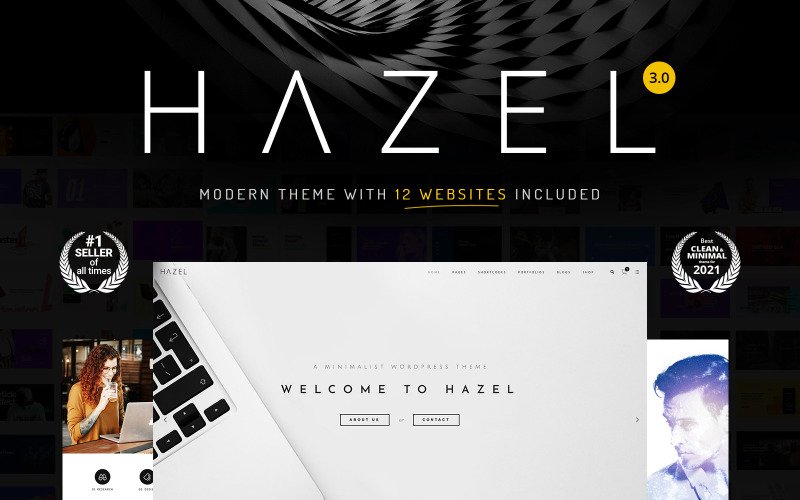
HAZEL is a multi-purpose WordPress theme featuring 12 ready-made demo skins. All elements of the theme are fully responsive and Retina-ready. Websites based on the HAZEL theme are cross-browser compatible and smoothly run in all web environments. The WordPress theme includes an amazing ready-to-use Slider pack, with tons of sliders available to be used out of the box.
Thanks to the regular updates, the functionality of the theme is frequently expanded with new tools and features regularly. One of the most recent improvements features CSS and Style improvements. It has also brought new options for background, borders, and text colors. Whenever you decide to build a web store with the HAZEL theme, the enhanced shop design and functionality will come in handy to you. Besides, it’s fully compatible with WooCommerce and features a bunch of ready-to-go pages and layout elements for eCommerce purposes.
Hazel Highlights
- 12 demo skins
- 60+ Page Builder Elements
- 320+ Sliders Included
- Revolution Slider Included
- WP Bakery Page Builder Included
- Ultimate VC Addons Included
- Cube Portfolio Included
- 100% Responsive Layout
- Retina Ready
- WooCommerce 100% compatible
Avada
One of the best themes from Themeforest, Avada is a highly sought after WordPress theme. This is partly because it is considered one of the easiest to use but also because of the features it boasts. Firstly, there are 48 different demos you can use when first starting to build your website. Or if you prefer, there are more than 300 pre-made page designs for you to choose from. These can be customized by the Fusion Builder, which is a visual page builder that makes building a website quick and easy.
It is fully compatible with the latest GDPR laws in the EU. Even if you don’t sell in the EU, you still need to comply with them because it applies when anyone from the EU lands on your website.
There are lots of compatible benefits for this theme as well. You can integrate BBPress, BuddyPress and WooCommerce to create a content rich and super functional website. In addition, you can add CSS3 animations to impress guests.
Avada Highlights:
- Great WordPress theme for website load times, so customers can have a great experience on your site.
- Retina ready, so your site will always look amazing.
- Six premium plugins included within the package worth over $200.
- Highly advanced customization options, but they are easy to use.
Astra
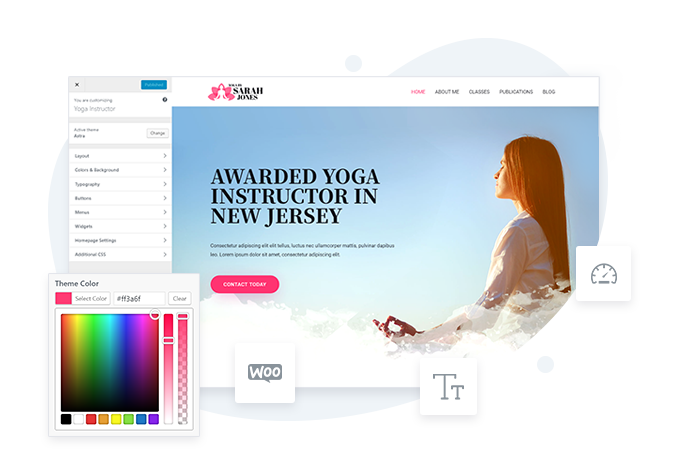
Astra is a very versatile theme that can be great at delivering the perfect design for your next web project. It has lots of customization potential just with the WordPress customizer. This allows you to start a website from scratch or you can upload one of the many demo sites to get you started quicker. Without any code, you can easily get a great looking website that is fully-functioning, whether you want a news website or eCommerce store.
Astra is one of the best themes if you’re looking for a quick loading website. It is lightweight that makes it great for user experience and search ranking. If you need additional plugins to be added for functionality (like WooCommerce or a membership plugin), then the more lightweight your theme, the less impact these additional plugins will have on your website’s performance.
Astra Highlights:
- Optimized for search engines so will rank well on Google and other search engines. Higher ranks lead to better website traffic.
- Fast website, so visitors can read the content they want to quickly. This helps to improve conversions.
- A wide range of customization options to help you create a unique site that matches your branding.
- Is compatible with numerous premium plugins so you can add functionality to your website.
Divi
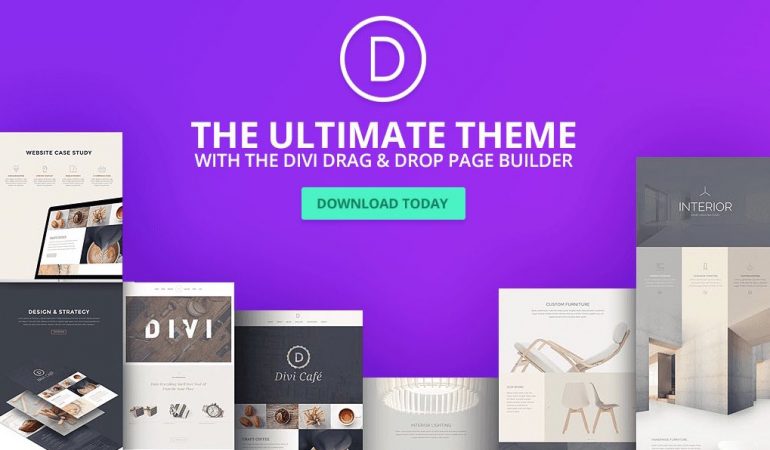
If you’re looking for an easy to use WordPress theme that has great community support, lots of customization options and one of the best page builders available, then Divi is a great choice. The Divi builder is a great aspect of this theme and it is an easy to use drag and drop builder that allows you to develop a great website without any knowledge of code. If you don’t want to build a website from scratch, there are dozens, if not hundreds, of demos available directly from the developer and the community.
Divi is feature rich. One of the best features is the split testing element. This allows you to test two variants of one page to see which offers the best results. For instance, you can see whether an orange or green call to action button leads to more sales. This can help improve your website’s conversion rates, revenues and therefore your business’ profits.
Divi Highlights:
- Can create your website in any one of 32 languages. Divi also supports RTL languages.
- Improve page conversions with videos that can be incorporated directly into your page.
- Divi is SEO friendly, helping you to rank higher on Google and generate more traffic.
- Highlight customizable theme without any specific technical knowledge.
Jevelin
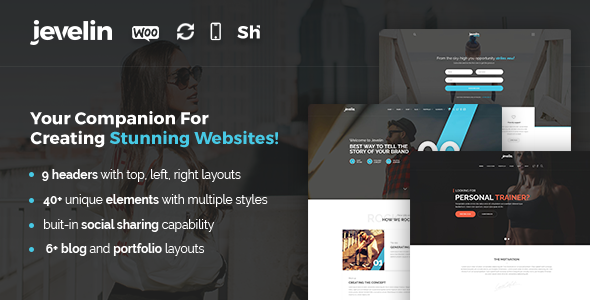
Jevelin is one of the best WordPress website themes you can have for your next website project. Not only is it easy to use, but it is super responsive and able to be displayed perfectly on any device or screen resolution.
When building your website there are demo sites you can import or page templates to utilize to speed you through the process. This is great for those new to website designing who just want to create a top performing site for their small business.
But just because it is one of the easy to use WordPress themes, it doesn’t mean that the theme is lacking functionality. Jevelin easily allows you to customize your website with animations and branding options to convert customers. These can be inserted quickly into your website thanks to the easy-to-implement shortcodes that just need to be copied and pasted into your pages or inserted thanks to the numerous tools available.
Jevelin Highlights:
- Utilize more than 40 different shortcodes to make adding content and functions to your site easy and quick.
- SEO friendly, so you can be found on search engines for more traffic and higher revenues.
- Optimized for RTL languages.
- Great WooCommerce plugins that are unique to this theme that help to sell more products.
Monstroid2
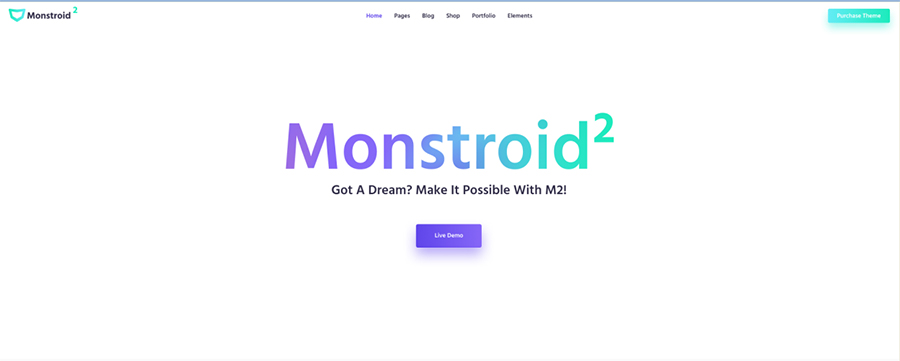
One of the top-selling WordPress themes, Monstroid2 has a lot of great features that will make it a great choice for your website project. The beautiful design of the default theme options is very captivating and you’ll be surprised at how great it is; however, you will still want to make some changes so it fits in with your overall branding.
Firstly, changes can be made in the easy-to-use setup wizard. This is great and can have the basic look of your website up and running within just a few clicks. Customization is further improved with the great drag and drop page building that makes creating your unique website easy and fuss free. You don’t even need to know any code.
Load times are kept down thanks to the lightweight aspect of the coding. This helps to give users an unforgettable experience and improves conversion rates. Plus a great load time is necessary for a high search rank.
Monstroid2 Highlights:
- Lightweight code makes this WordPress theme a fast option for better user experience and search ranking.
- Over 500 section elements can be applied to completely customize your website.
- Compatible with WooCommerce and other premium WordPress plugins.
- Easy-to-use drag and drop page builder included to make building your website a pleasure.
Sydney Pro
Sydney Pro is one of those themes that just work. It was crafted with much love by the guys over at athemes, and is considered one of the best. Sydney is a very versatile theme, so no matter if you need to build a blog, a book store site, or even a watch store site, Sydney pro could work perfectly.
Sydney Pro Features
- Very impressive header options
- 7 Page templates for more flexibility
- Extra Elementor blocks
- Extensive options in the WordPress customizer
- Specific page / post options – you can change lots of things on a page/post basis such as background image, colors etc.
- WooCommerce integration
- And much more…
Werkstatt
If you’re looking to build a showcase for your previous work within one of the easy to use WordPress themes, then you need to consider Werkstatt. It is a great portfolio website full of great functions that allow you to build a platform for showcasing your best work to a wide audience. The basic theme looks sleek, modern and engaging and will be sure to impress audiences when they visit your website.
Customization of your website can be done with the Visual Composer plugin. This is included with the theme and is a simple, but powerful, drag and drop page builder. All you need to do is to select the element you want, click on it and drag it to the area of the page you want it to appear on. It is as simple as that.
Some of the great features that are included with Werkstatt include the great hover over effects. These look amazing and can add a little distinction to your website. This theme is also compatible with WooCommerce for those looking to take payments online.
Werkstatt Highlights:
- SEO friendly, so you can rank highly on Google and generate more traffic to your site.
- Fast loading times to improve visitor experiences and interactions.
- Sleek and modern design that can help showcase your best work to website visitors.
- Easy to customize with the Visual Composer plugin.
Final Word: 12 Best Easy To Use WordPress Themes
If you’re looking for the easiest WordPress theme to use, any of the twelve on this list will serve you well. Complete beginners will find Astra or OceanWP the most approachable starting points, with minimal setup and plenty of starter templates to get a site live fast. Experienced builders who want more design control without a steep learning curve will get the most out of Divi or Avada, which pack serious power into a visual editor that keeps complexity manageable. Pick the one that fits how you like to work and you’ll spend more time on your business and less time fighting your website.
Related Posts



 Website Maintenance – Use Promocode: scanwp
  Advanced JetPlugins for Elementor
  Semrush 14 days trial
  Kinsta – Managed WordPress Hosting
  Bluehost Hosting