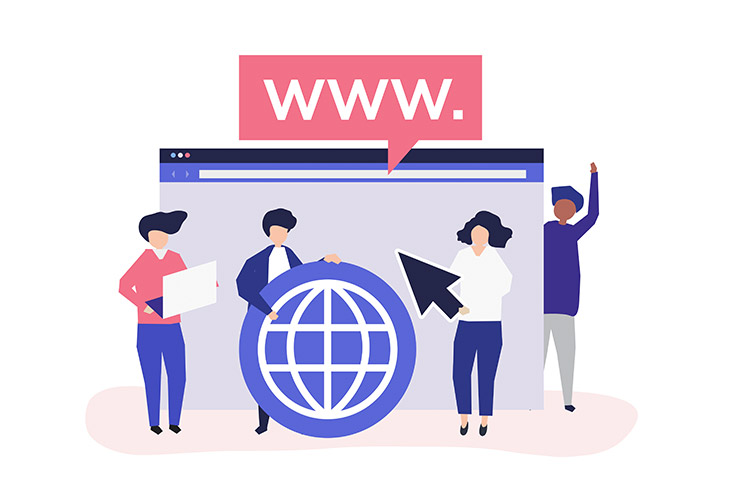
How to Choose a Domain Name for Your Business
Last modified: July 15, 2026

Your domain name is usually the first thing someone types when they want to find you again, and it will appear on every piece of marketing you ever produce. Getting it right matters, but most guidance on the topic is either too vague or too focused on SEO rules that have largely stopped applying. This guide covers the practical decisions: what makes a domain name actually work, how to evaluate your options when your first choice is taken, and what to avoid so you do not regret the name two years from now.
* This button will show the rest of the post and open up an offer from a vendor
What Makes a Good Domain Name?
Before searching for availability, it helps to know what separates a good domain name from a forgettable one. These rules hold up across industries:
- Under 15 characters if possible: Shorter names are easier to type, spell from memory, and share verbally. The best business domains are 6 to 12 characters.
- No hyphens: Hyphens are hard to say out loud and are associated with spammy domains. Avoid them entirely.
- No numbers: Numbers create ambiguity. Is it the numeral 4 or the word four? Skip them unless numbers are part of your actual brand name.
- Easy to spell when heard: Say your domain name out loud to someone who has not seen it. If they would spell it differently than you intended, pick a different name.
- Not trademarked: Before registering, search the trademark database for your country. Using a trademarked name can result in forced transfer of your domain at significant cost.
The .com extension is still the default for business domains. If someone does not remember your exact URL, they will type .com. If your .com resolves to a competitor or an unrelated site, you are giving traffic away.
How to Search for Available Domain Names
Once you have a few name ideas, you need to check availability. Most domain registrars let you search directly. Type your preferred name and they will show whether .com is available and suggest alternatives with other extensions.
If you are stuck on ideas, domain name generators can help. You type in one or two keywords that describe your business and the tool suggests combinations, synonyms, and available variants. They are useful for breaking out of tunnel vision when all the obvious names seem taken.
What to do with the suggestions:
- Filter for .com availability first and save the list of available .com names
- Say each shortlisted name out loud and check for spelling ambiguity
- Search the name on Google before registering to see if there is already a known brand using it, even if the exact domain is available
- Check social media handles while you are at it. Brand consistency across your domain and social accounts matters
Most registrars charge between $10 and $15 per year for a standard .com. If a registrar is offering a name for $1, check the renewal price as it often jumps significantly after the first year.
Keywords vs Brand Name in Your Domain
Ten years ago, having the exact keyword in your domain name was a meaningful SEO signal. That advantage has largely disappeared. Google now weights content, backlinks, and user trust far more than whether the keyword appears in the URL itself.
What this means practically:
- A memorable brand name beats an exact-match keyword domain in the long run. Brand recognition builds backlinks and repeat traffic in ways keyword stuffing cannot.
- Your domain name does not need keywords to rank, but having your industry or niche somewhere in the name can signal relevance without being keyword-heavy.
- Avoid exact-match domains if the keyword is generic: Names like “businessnames.com” or “wordpressplugins.net” sound like directories or affiliate sites, which can make it harder to build brand authority.
The bottom line: choose a name that makes sense for your brand and is easy to say and remember. The SEO will follow from the content you publish, not the words in your URL.
Choosing the Right Domain Extension
The extension (the part after the dot) matters less than it used to, but the choice is worth thinking through:
- .com: The default for any business with an international audience. Users trust it, type it automatically, and remember it. If .com is available for your name, use it.
- Country codes (.co.uk, .de, .fr): Good if your business is genuinely local. A London plumber can use .co.uk without penalty. A business that wants to appear global should prefer .com.
- .io: Popular with tech startups and SaaS products. Carries credibility in the tech space. Not ideal for non-tech businesses.
- .net / .org: Acceptable if .com is not available, but .net is associated with older infrastructure companies. Use .org if you are a non-profit or community organisation.
- New extensions (.shop, .studio, .agency): Available and cheap, but users frequently forget non-standard extensions and revert to typing .com. Use them for secondary domains or redirects, not your primary domain.
The practical rule: get the .com if you can. If .com is not available, that is a strong signal the name is already taken in the market. Consider changing the name rather than settling for a less common extension.
When Your Ideal Domain Is Already Taken
This is the situation most people are actually in. Here are the practical options, ranked from most to least recommended:
- Change the name slightly: Add a word that clarifies what you do, such as “getbrandname.com” or “brandnamehq.com”. Avoid generic words like “online” or “official” as they weaken the brand.
- Try a different TLD if your audience is regional: A UK-based business can often use .co.uk even when .com is taken, without meaningful loss of trust among UK visitors.
- Buy it from the current owner: If the domain is parked with no active site, the owner may sell. Reach out via the WHOIS contact email or a domain broker. Budget at least $1,000 to $5,000 for a clean generic domain. Only worth it if the name is genuinely important to your brand.
- Pick a different name: If the .com is actively used by a competing business, there is no good workaround. A name that causes confusion with an existing brand will cost you more in the long run than starting fresh.
The option to avoid: buying a hyphenated version of a taken domain. “Brand-name.com” will perpetually lose traffic to “brandname.com” and makes your business look like a knock-off.
Common Domain Name Mistakes to Avoid
These are the decisions that domain owners most often regret:
- Choosing a name that is hard to spell: If you have to correct people when you give them your URL verbally, the name is wrong. Test it with five people before registering.
- Using a trendy spelling: Dropping vowels or using alternate spellings to get around a taken domain creates permanent brand confusion. People will always look for the standard spelling.
- Not buying privacy protection: When you register a domain, your name and email go into the public WHOIS database. Domain registrars offer WHOIS privacy protection, usually $1 to $5 per year, that replaces your details with theirs. Turn it on by default.
- Registering for only one year: If you forget to renew, you can lose your domain. Register for at least 2 to 3 years and enable auto-renew.
- Picking a name that cannot be trademarked: Generic descriptive words cannot be trademarked in most countries. If you ever want to build serious brand protection, you need a name distinctive enough to register as a trademark.
Final Word: How to Choose a Domain Name for Your Business
Choosing a domain name comes down to a few core decisions: what the name says about your business, whether .com is available, and whether it passes the “say it out loud” test. The SEO considerations matter less than they did. A keyword-stuffed domain will not outrank a well-built site with a brand name that people remember and search for directly.
Before you register, run through this checklist:
- Under 15 characters, no hyphens, no numbers
- .com available (if not, consider changing the name rather than the extension)
- No existing trademark conflicts
- Passes the verbal spelling test with five people
- Social media handles are available or close enough
- WHOIS privacy protection enabled at registration
- Auto-renew turned on for at least 2 to 3 years
Get the name right now and you will not have to deal with the pain of a rebrand later. Changing a domain name after a site is established costs you existing rankings, inbound links, and the trust you built under the original address.
Related Posts



 Website Maintenance – Use Promocode: scanwp
  Advanced JetPlugins for Elementor
  Semrush 14 days trial
  Kinsta – Managed WordPress Hosting
  Bluehost Hosting