
17 Best WordPress Video Themes Compared - 2026
Last modified: August 6, 2026

If you run a business that relies heavily on media and aren’t using a WordPress video theme, your content may not be performing as well as it should. A lot of time and effort goes into making a video, so your videos shouldn’t just sit on YouTube. You need to be actively using them on your own website too.
Why Should You Be Using Videos On Your Website?
There are several reasons why you should host videos on your own website rather than relying solely on channels like YouTube.
To begin with, consumers are hungry for video online. YouTube’s reach demonstrates how much internet users value video content — it reaches more people in the US aged 18 to 34 than any cable channel. Embedding or hosting video on your own site means you capture that engagement rather than sending visitors away.
Second, video improves the experience of the website visitor. Good media converts a static site into a compelling experience, and with tools like AI for video creation, even simple ideas can be turned into engaging visual content. Consumers who watch your video start to identify with your brand. Even if they don’t buy on their initial visit, they are more likely to return and purchase later. This brand loyalty is important for long-term success online.
Third, it helps promote your website. Video content on a page improves dwell time and engagement signals, which can help with search rankings. If your video is informative or entertaining enough, it can also attract backlinks and social shares.
Video is frequently shared on social media. A well-made video could be shared across Facebook, YouTube, and other channels, driving visitors back to your site and building brand recognition over time.
Why Should You Use WordPress Video Themes?
You can insert a video by pasting a YouTube URL into any WordPress page — but not every theme handles the video player well. The sizing may be off, the player may clash with the design, and you have no control over what happens after the video ends.
Self-hosting video is another option. You can use plugins or an online video editor to prepare and customize your video content, but without an appropriate server setup, large video files will slow your site down considerably, hurting both user experience and rankings.
WordPress video themes solve both problems. They’re built to handle video display cleanly — with properly sized players, organized video archives, category pages, and in some cases, social sharing and community features built in.
Some WordPress video themes also support media sharing site features — user uploads, comments, and discussions. Though for full community functionality, a plugin like BuddyPress may be needed alongside your chosen theme.
Here are 17 of the best WordPress video themes available:
| # | Name | Image | |
|---|---|---|---|
| 1 |
Divi
|

|
More Info
|
| 2 |
Vlog
|

|
More Info
|
| 3 |
Videotube
|

|
More Info
|
| 4 |
Newspaper
|

|
More Info
|
| 5 |
BeTube
|

|
More Info
|
| 6 |
Videoly
|

|
More Info
|
| 7 |
Vlogger
|
|
More Info
|
| 8 |
VideoTouch
|

|
More Info
|
| 9 |
SocialPlay
|

|
More Info
|
| 10 |
Snaptube
|

|
More Info
|
| 11 |
Soledad
|

|
More Info
|
| 12 |
SlimVideo
|

|
More Info
|
| 13 |
FilmMaker
|

|
More Info
|
| 14 |
VYSUAL
|

|
More Info
|
| 15 |
The Producer
|

|
More Info
|
| 16 |
PenNews
|

|
More Info
|
| 17 |
Videoblog
|

|
More Info
|
* This button will show the rest of the post and open up an offer from a vendor
Filter between free and paid
Divi
Divi is one of the most versatile WordPress themes available and handles video content as well as any specialist video theme, thanks to its built-in Video module and full-screen section capabilities. You can build a video-first homepage, embed YouTube and Vimeo videos as full-screen backgrounds, and create video portfolio sections using the drag-and-drop builder without writing any code. While Divi is a general-purpose theme rather than a dedicated video theme, its page builder flexibility means it can replicate and exceed the layouts of most specialist video themes. For sites that need video support alongside other content types, Divi handles it without requiring a separate theme.
Vlog
As the name suggests, Vlog is primarily designed for those who want to display many videos on their site. Therefore, this is an excellent solution if you’re a YouTuber or vlogger elsewhere and want to showcase your work on your own website.
Vlog’s elegant and smooth design combines both beauty and functionality and is a completely mobile responsive WordPress video theme. When using this theme, you have lots of options to customize the style applied to match your brand identity. This also ensures your content is watched in the attractive environment you’ve envisaged. To help, there are over 200 layout options for video posts.
In addition, if your business produces video tutorials, lessons or reports you’ll find this useful and easy to use. It might even allow you to take your business to the next level.
One of the most beneficial aspects of Vlog is that it can auto-detect and import thumbnails from your content on other sites. This reduces your workload when connecting your website to content on another sharing site. These thumbnails can then be displayed as the header of the video post.
In addition, if you have a serialized film series or just videos connected by a single topic, Vlog allows you to create a playlist for visitors to watch them in order.
Benefits of Vlog:
• Over 200 post layout combinations to help you stamp your brand’s identity onto your website.
• Integrates with YouTube, DailyMotion, Vimeo, Twitch and more. Meaning you don’t have to self-host your videos which might slow down your website.
• Vlog can adjust to the users’ aspect ratio and screen orientation without adversely affecting the website’s professional look.
• Visitors can save videos for playback later.
Videotube
If you’re looking to create the next must-use video sharing platform, then this is one of the responsive WordPress themes to consider developing your website with. Videotube was designed for web owners looking to create the next YouTube or Vimeo and the theme possesses all the features needed to assist you becoming a great success.
While designed to build quality video sharing websites, that doesn’t mean it can’t integrate with other media platforms. In fact, it can integrate with all the top sites including YouTube, Vimeo, DailyMotion, Hulu and others. All that is required is the media hosting site supports the oEmbed protocol.
There are 10 different homepage layouts with seven pre-existing color schemes. If you aren’t satisfied with the existing color schemes, there’s the option to customize them with just a few clicks of a button.
The option exists to allow any content uploaded to your site to have an automatic video thumbnail created. The theme also supports Visual Composer, so you can design your website exactly how you want it to look with your own brand.
Finally, it allows your audience to submit and publish their own content on your website.
• Has a powerful Theme Options panel for easy customization.
• Can display like button and view counts.
• Supports self-hosted videos.
• Can sort videos by likes, views comments or date.
Newspaper
Newspaper is a premium theme that handles video content well despite its name suggesting a text-first focus. It includes dedicated video post formats, video carousels, and a full article grid that integrates seamlessly with embedded YouTube and Vimeo content. For media sites that publish a mix of written articles and video content, Newspaper’s layout system handles both equally well, which most standalone video themes don’t offer. The theme is one of the top-selling premium WordPress themes overall and is regularly updated for compatibility. For news and media sites with a video publishing component, Newspaper is a proven option.
BeTube
BeTube is a WordPress video theme that replicates the YouTube-style browsing experience for video-focused sites. The theme includes a custom video post type with fields for video embeds, duration, view counts, and category display, making it easy to build a structured video library rather than just embedding videos in standard blog posts. Visitors can browse by category, search the video library, and view related video suggestions on the single video page. For sites that publish a large volume of videos and want a purpose-built browsing interface, BeTube is the most complete dedicated WordPress video theme in this list.
Videoly
Are you looking for a website to project your brand onto the wider audience? Then Videoly might be the ideal solution for your needs.
Up next on our top WordPress video theme list is an excellent solution for anyone who wants to be a YouTuber or vlogger. The theme has a range of functions and features to help you reach the top of your niche and become the star you want to be. There are nine homepage layout options to choose from. Your front page can display numerous videos to attract views from website visitors and engage audiences.
One of the most valuable features of Videoly is that when a visitor clicks on a thumbnail, you choose whether to have the content play instantly or to enable a redirect to another page hosting the video.
This theme includes lots of layouts for creating new posts. These layouts are mostly designed to contain video content, but if you want a post without media, there won’t be a loss of impressive quality. There are also six different slider styles, unlimited sidebars and more than 10 custom widgets.
If you’re also looking for a comprehensive range of supported video formats, then Videoly is an excellent option. It supports all the usual sharing websites as well as MP4 and others.
Benefits of Videoly
• Optimized for speed, allowing you to create a great user experience on your website.
• Videoly is built using W3C validated and optimized code.
• Fully responsive so your content will look professional on any device.
• Visual Composure included for easy website building that will deliver impressive results.
Vlogger
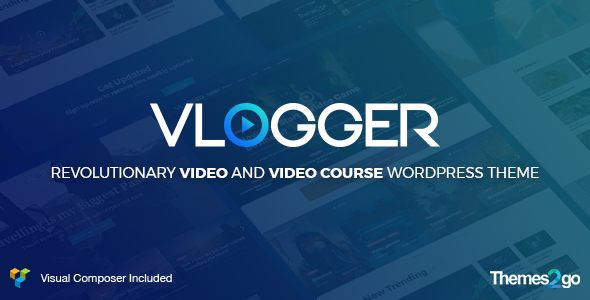
It’s obvious which audience this WordPress video theme is designed for, but that doesn’t limit the potential of this theme. By focusing on a certain audience, the team behind Vlogger have provided a platform that will not only allow you to create a stunningly aesthetic website, but one that will project your brand across the internet and attract new fans.
Of course, there are other uses for Vlogger. If you create, publish, and distribute tutorials or classes via video, you could easily use this theme to help you share that learning material.
One of the best features of this theme is the simple, yet powerful, nature. If you want to have a video carousel, grid or list, one can be produced in just a few clicks. Another great feature is it’s mobile-first. This is great for search engine ranking and user experience.
The T2G ReAkAktions plugin is integrated with this theme allowing top engagement opportunities with your audience including: post like, social sharing, number of views and star rating. And if you have a MailChimp newsletter, you can connect your website to keep subscribers coming back with regular updates of what’s new.
Monetization is simple with Vlogger. There are 12 ads slots in which to monetize your videos with, you can place ads anywhere you want and even have a fly out ad. Therefore, if you’re looking to make a living out of your videos, this theme is a great choice.
Benefits of Vlogger
• Free lifetime updates.
• Good documentation and support.
• Import everything from YouTube in just a few clicks.
• Includes YouTube and MailChimp subscription functions to keep fans informed of when new content is published.
VideoTouch
VideoTouch is a fast, cleanly designed WordPress video theme built for sites where page speed matters. The theme uses lazy loading for video thumbnails, which helps keep load times low even when a page contains a large number of video posts.
The layout is grid-based and works well for both desktop and mobile. VideoTouch supports YouTube, Vimeo, and self-hosted video formats, and the player integrates cleanly with the theme’s design rather than looking like an afterthought. If page speed is a priority for your video site, this is one of the better choices on this list.
SocialPlay
SocialPlay is a multipurpose WordPress video theme with built-in support for a social layer , users can like, comment on, and share video posts directly from the site. This makes it a good fit for community-driven video sites rather than purely editorial ones.
The theme comes in both light and dark skins, and the layout is flexible enough to work as a general media site or a niche video channel. If you want to create a site where video content drives discussion and return visits, SocialPlay’s community features give you a head start without needing additional plugins for basic social functionality.
Snaptube
Looking to develop a site where you create, publish and showcase great videos? Or do you just share the best content from the web? The Snaptube might be the perfect WordPress theme for your website; it’s a clean theme designed for the professional vblogger.
Our top WordPress video theme list just got better…
One of the most significant advantages of Snaptube is it can handle lots of content. This allows you to build up a library of content that will keep visitors engaged with your brand and generate income with AdSense as this theme is ready.
During the designing of your website, use the drag-and-drop page builder and countless video modules to help create that visually pleasing website you want. Add functionality to your site with lots of compatible plugins including BuddyPress, Contact Form 7, and Like Dislike Counter.
In contrast to other WordPress video themes, you don’t have as many options for where content can be hosted beside self hosting videos. Though you do have all the major media hosting sites such as YouTube and Vimeo.
Benefits of Snaptube:
• Responsive design; your website looks great on any device.
• Choose from more than 100+ Google Fonts.
• Customize your videos’ player skin to maintain a consistent brand look throughout your website.
• Preroll ads, postroll ads, midroll ads and Ad Skip options built in.
Soledad
Soledad is a great option for anyone who wants to make their mark on the world. While it isn’t specifically designed as a video theme, it does the job perfectly. The Soledad has a set of tools that have been so well put together that it’s definitely one of the top WordPress themes available.
Included in the price is a set of creative, competent tools, some powerful premium plugins and over 2000 demo websites and functional page templates. This allows you to not only have a site up and running quickly but also to customize it to your preferences without losing functionality or damaging user experience.
What’s great about this plugin is that the designing of the website isn’t challenging. There are two options, the WordPress Live Customiser or Visual Composer. So if you have a preference for one, you’re free to use it.
Another outstanding feature is that Soledad comes with Accelerated Mobile Pages, so when visitors are on their mobile devices, your pages load quicker. This can be vital for user experiences and your website’s search ranking. The theme also integrates with popular SEO plugins such as Yoast to further help you climb the search engine ranks and generate traffic to your site.
Monetizing your website couldn’t be easier either. If you’re looking to sell content or products on your website, this theme is compatible with WooCommerce.
Benefits of Soledad:
• Unlimited color choices so you can design your website with its unique brand color scheme.
• The code has been optimized by Google certified experts.
• Optimized for speed.
• Includes lots of premium plugins to help you add functionality to your website.
SlimVideo
SlimVideo is a minimal, performance-focused WordPress video theme built for sites where the video content needs to be the visual focus without heavy design decoration. The clean layout removes sidebar clutter and navigation overhead, putting the video player front and center on single video pages. The responsive design handles mobile playback cleanly, which matters for video audiences that frequently watch on mobile devices. For vloggers and content creators who want a lightweight WordPress video theme rather than a feature-heavy premium build, SlimVideo delivers the essential display without the overhead.
FilmMaker
If you’re looking to launch a WordPress website whose whole focus is on video, then FilmMaker could be the theme for you. Built to help anyone create the perfect video-focused site and there are many great features and top functionality to help.
There are four different homepage layouts to choose from, so you can start building your website straight away and showcase your best work quickly. But you don’t have to stick with the layouts included if you want something a little more personal to your brand. Use the free Visual Composer page builder to develop and publish the best page design for the project.
Are you producing and promoting films? Then you’re in luck as there are lots of features to establish a professional image for your project. FilmMaker includes lots of page templates for crew, film detail and image galleries to use. In addition, there’s a range of layouts for blogs, videos and a full-screen video template.
If you’re looking for a video background to your website, that isn’t a problem with FilmMaker. You can import demo content to your website to help with setting up your site, and creating slideshow displays are easy and look very impressive.
Benefits of FilmMaker:
• Over 600 Google fonts to choose from giving your website the best typography.
• Full social media integration so you can engage your audience across channels.
• Child theme included in the package.
• SEO and speed optimized for the best performance on search engines and user experience.
VYSUAL
This theme was specifically built for those looking for a quality WordPress website for a film campaign or an official movie site. And it does the job very well. If you’re in the film industry or regularly visit the official movie sites, then you’ll know what kind of functionality these websites can have.
When you start developing your website with this theme you have two options. You can use a video background, for trailers or promotional clips, or you can have a full-screen slideshow; perfect for displaying behind the scene and movie promotional images.
If you aren’t in the film business, but want to promote music instead, this theme won’t disappoint either. It includes an inbuilt audio player.
Videos can be added to the site and there are a range of sources to use including self-hosting the content if you possess the capability.
The benefits of VYSUAL:
• The theme is mobile friendly as tested by Google Developers
• Unlimited color options.
• Poster credits in the footer area.
• Enhance user experiences with advanced JQuery animations and effects.
We’re almost done with our WordPress video theme list, just a few last ones.
The Producer
A theme that was built specifically for film studios and those looking to create official movie websites. It can also be used by those running a television series, YouTube channel or any other person who centers their brand on their video content.
The focus for Producer is on videos and you can display your best work using a dark or light version.
The benefits of The Producer
• Easy to use and maintain WordPress Video theme.
• Low cost compared to other themes.
PenNews
A modern and resourceful WordPress theme built for media websites, PenNews is fully responsive and offers great features to help you promote your videos online. One of the best features is the inclusion of WPBakery which allows you to create the perfect design that will align your website to the brand image.
In addition, the theme has cutting-edge coding to handle published videos. They will appear pixel perfect across all devices. You can display content using video sliders, portfolios and galleries.
If you’re also sharing your content across social media then PenNews is great. It has Google AMP and Facebook Instant Articles. This keeps server loads light across all social media channels. And if you’re looking for search engines to drive traffic to your videos, then you won’t be disappointed with the great SEO benefits this theme has to offer.
Benefits of PenNews
• 55 unique demos to help get your website started in minutes.
• Compatible with all caching plugins.
• More than 15 premium plugins included.
• Auto-video thumbnail included which supports videos from all major media sharing sites.
Videoblog
A traditional blog/magazine style theme that looks basic but with the right tweaks, you can turn into a great video website. There is an intuitive design with a two-column layout.
On the front page you can highlight your key content and feature up to five different post categories to capture the attention of the audience.
This is a rather basic design, but for those looking to start a video based business, this might be the first stepping stone.
Benefits of Videoblog:
• Easy to use
• Free
And this concludes our best WordPress video theme list…
Final Thoughts
Video is a core part of online content — audiences expect it, and a site built to display video well will engage visitors more effectively than one where video is an afterthought. Not every WordPress theme handles video properly. Some will display it adequately, but they won’t give you the layout controls, archive pages, or player customization that a dedicated video theme provides.
There are 17 options on this list, and they cover a wide range of use cases — from YouTuber portfolios and vlogging sites to film studio pages and media sharing platforms. The right choice depends on what you want your site to do.
Getting The Right WordPress Video Theme For You
If you hope to be successful with a video website, choose a theme that matches your goals. Do you want social functionality, user-submitted content, or a simple way to showcase your own work? The answer shapes which theme fits best.
Start by deciding what your site needs to do — archive videos by category, support subscriptions, allow social interaction, or simply display a portfolio cleanly. Match that against the features on offer from each theme above, and you’ll narrow the list down quickly.
Related Posts




 Website Maintenance – Use Promocode: scanwp
  Advanced JetPlugins for Elementor
  Semrush 14 days trial
  Kinsta – Managed WordPress Hosting
  Bluehost Hosting