15 Best Genesis Child Themes Compared – 2026
Last modified: June 21, 2026

Genesis child themes are WordPress themes built on top of the Genesis Framework by StudioPress. Rather than standing alone, each child theme inherits the Genesis Framework as its foundation, which handles core functions like security hardening, structured data, and page rendering speed. You get a fully styled, ready-to-use WordPress site while the framework does the heavy lifting underneath. This architecture also means updates to the framework do not overwrite your child theme customizations, since the two layers stay separate.
What to Know About the Genesis Framework Today
StudioPress, the company behind Genesis, was acquired by WP Engine in 2018. Since then, WP Engine has shifted focus toward its own block-based theme ecosystem, and many Genesis child themes are no longer sold through new storefronts. That said, the Genesis Framework itself remains fully functional. It still powers millions of active WordPress sites, receives security updates, and works with modern versions of WordPress. If you already run a Genesis-based site, or you are sourcing a Genesis theme from a third-party developer, you can still get solid results.
Some site owners are now actively searching for Genesis themes alternatives, and that shift is understandable given how much the StudioPress marketplace has contracted since the WP Engine acquisition. If your priority is a framework with active commercial development and a growing theme ecosystem, options like Kadence, GeneratePress, or Blocksy offer strong long-term support and expanding block theme libraries. But if you want to build on Genesis specifically, or you are maintaining an existing Genesis site, the 15 themes below are available and continue to function well on current WordPress installs.
What Makes Genesis Child Themes Worth Using?
Even with the market shift, there are real reasons developers and site owners still choose Genesis-based themes:
- Clean code and performance: Genesis was built with lean, standards-compliant HTML and CSS. Sites built on it typically load fast without extra plugins needed just to fix bloat.
- Security-focused architecture: The framework includes built-in protection against common WordPress vulnerabilities, and the separation between parent and child means your customizations are not overwritten by framework updates.
- SEO-ready structure: Genesis outputs semantic HTML with proper heading hierarchies and structured data support, which gives search engines a clear picture of your content.
- Child theme model: All customizations live in the child theme. You can update the Genesis Framework without losing any of your design or code changes.
- Variety of designs: From minimal business themes to full-featured magazine layouts, the Genesis ecosystem produced a wide range of high-quality designs over the years.
Best Genesis Child Themes for News and Magazine Sites
If you are specifically looking for a Genesis news child theme, two options in this list stand out: Magazine and Smooth Post 2. Magazine is designed from the ground up for online publications, with a front-page layout built to surface multiple categories of content at once. Smooth Post 2 takes a cleaner editorial approach, making it a good fit for news blogs, trade publications, and content-heavy organizations that want a polished, fast-loading presentation. Both themes are covered in detail below.
Below you will find 15 of the best Genesis child themes still available. Each entry covers the theme’s design focus, standout features, and who it is best suited for.
| # | Name | Image | |
|---|---|---|---|
| 1 |
Infinity Pro
|
|
More Info
|
| 2 |
Patron
|
|
More Info
|
| 3 |
Authority Pro
|
|
More Info
|
| 4 |
Junction
|
|
More Info
|
| 5 |
Gallery
|
|
More Info
|
| 6 |
Foodie
|
|
More Info
|
| 7 |
Dharma
|
|
More Info
|
| 8 |
Readyfolio 2
|
|
More Info
|
| 9 |
Jessica
|
|
More Info
|
| 10 |
Smooth Post 2
|
|
More Info
|
| 11 |
Magazine
|
|
More Info
|
| 12 |
Altitude
|
|
More Info
|
| 13 |
Awaken
|
|
More Info
|
| 14 |
Swank
|
|
More Info
|
| 15 |
Drone
|
|
More Info
|
* This button will show the rest of the post and open up an offer from a vendor
Filter between free and paid
Infinity Pro
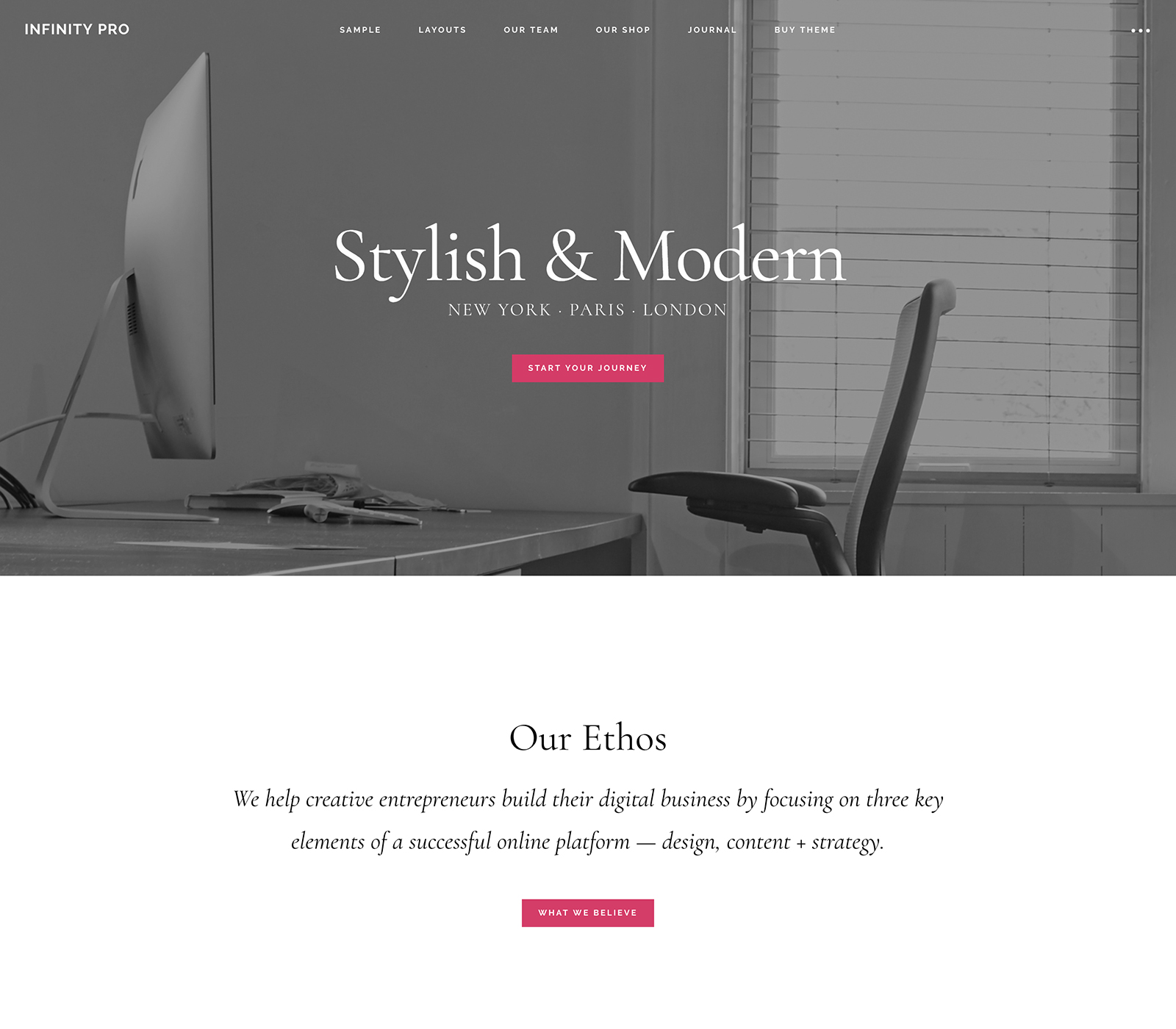
Infinity Pro is a Genesis child theme built for professional service businesses, consultants, and agencies that need a polished, conversion-focused website. The theme uses a full-width homepage layout with large hero sections and clearly defined call-to-action areas, making it easy to direct visitors toward a contact form or service page. It suits businesses in fields like law, finance, marketing, and professional coaching, where first impressions matter and the layout needs to communicate credibility quickly. Infinity Pro ships with a widget-heavy homepage that you can populate through the WordPress customizer without touching any code. The theme is mobile responsive and pairs well with the Genesis Framework’s built-in SEO markup.
Patron
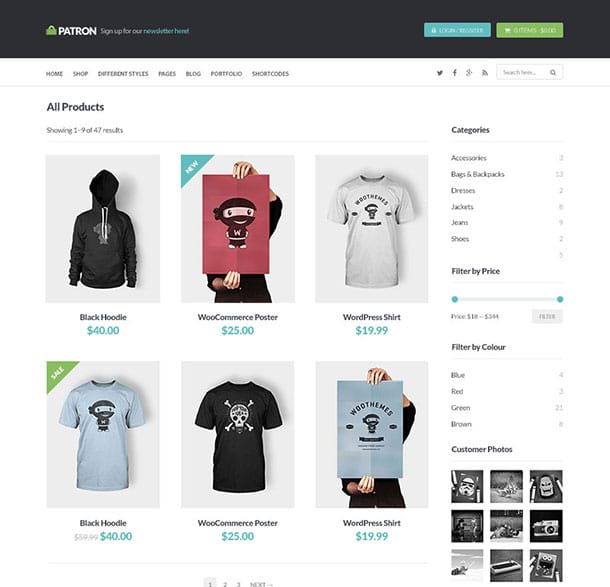
Patron is a Genesis child theme built specifically for WordPress eCommerce sites. It ships with WooCommerce integration configured from the start, so you can begin listing and selling products without wrestling with plugin setup or theme compatibility issues. The theme includes multiple homepage styles, giving store owners a way to present products differently depending on their brand: a clean grid layout for physical goods, a feature-forward hero for a flagship product, or a content-first approach for businesses that sell services alongside physical items.
Beyond the store functionality, Patron also works well as a hybrid site. If you want to run a blog alongside your shop, which can be a real advantage for SEO and repeat traffic, the theme handles both without requiring layout compromises. The typography and spacing hold up in both contexts, so product pages and editorial content look intentional rather than thrown together. For a small business that needs both a credible storefront and a content presence, Patron covers both without needing a separate blog theme.
Authority Pro
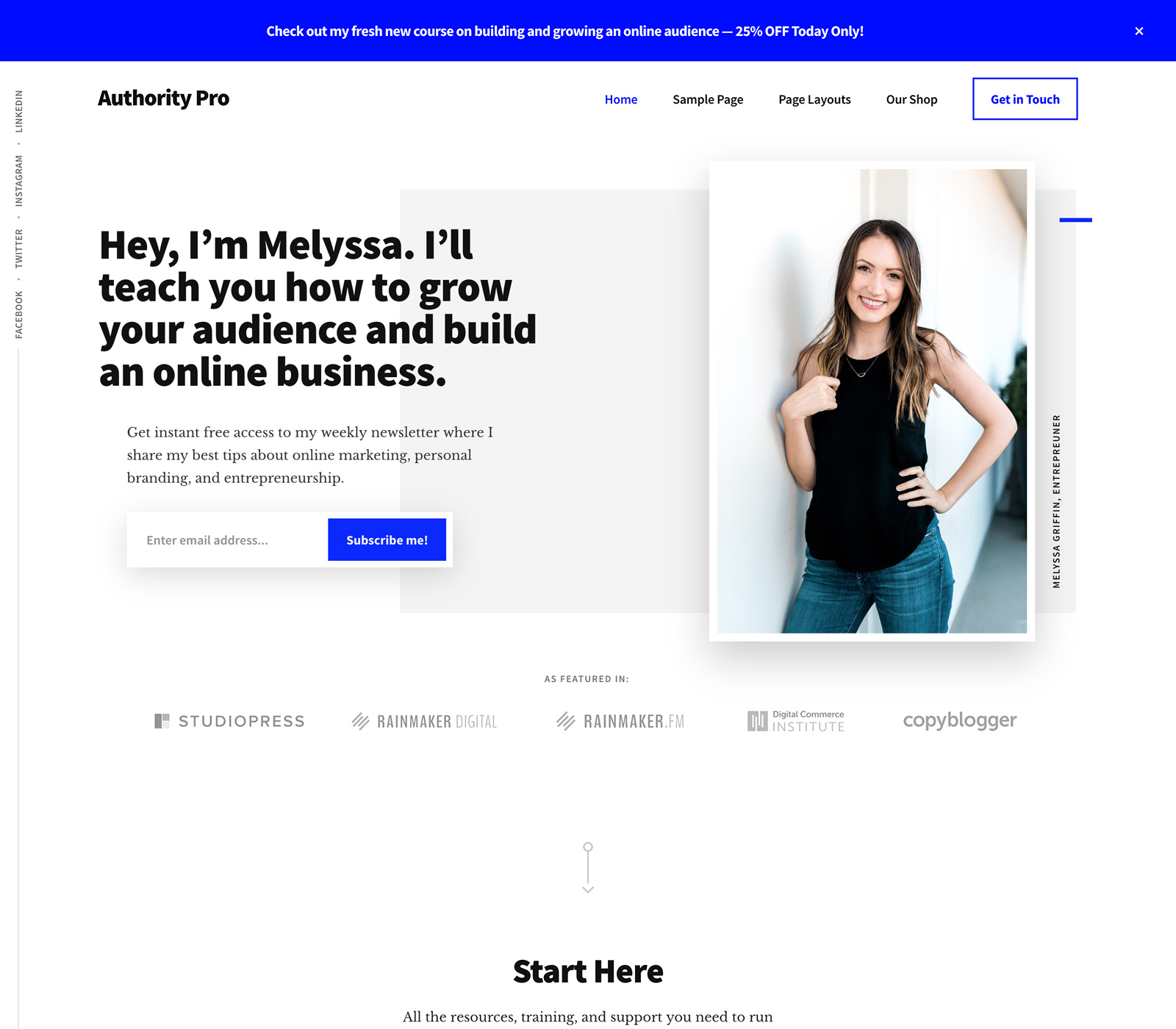
And we have moved on to number 5 of our Genesis Child themes list with the Authority Pro theme. The main purpose of this theme is all about helping you create a website to showcase your professional skills that will help you bring in more business. The website you build with Academy Pro can help you receive more clients, new customers and grow and expand you profile. This theme also has a section for testimonials and reviews that will be located in a slider on your page. With the testimonials, people that have worked with you previously will be able to inform others of their positive experience which will then lead to more business. Authority Pro also has complete eCommerce support for anyone looking to also incorporate a retail aspect as a part of their website.
More features from the Authority Pro Genesis theme include:
- Various Widget areas
- Translation ready
- Several layout choices
- Pricing page
- Customizable header
Junction
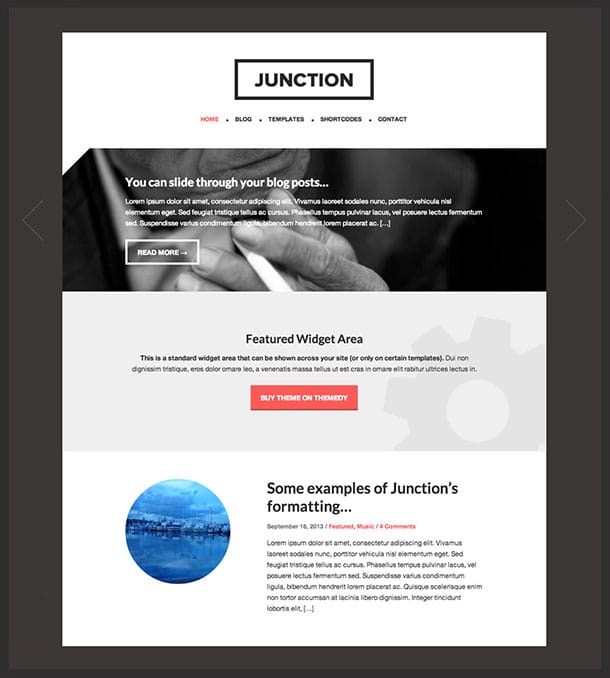
Junction is a Genesis child theme aimed at businesses that want a design with some personality rather than a standard corporate look. The layout uses a distinct visual structure that sets it apart from the typical header-content-sidebar formula, which can help a business site leave a stronger first impression. It comes with multiple template choices, each designed with a specific type of business in mind, so you are selecting a starting point that fits your use case rather than adapting a generic template.
The theme is fully responsive, which means your site will display correctly across desktops, tablets, and phones without additional configuration. If your business deals with clients who compare you against competitors online, Junction’s differentiated design gives you a small but real visual edge. It works particularly well for creative agencies, boutique service providers, and local businesses that want a site that feels custom without the cost of building from scratch.
Gallery
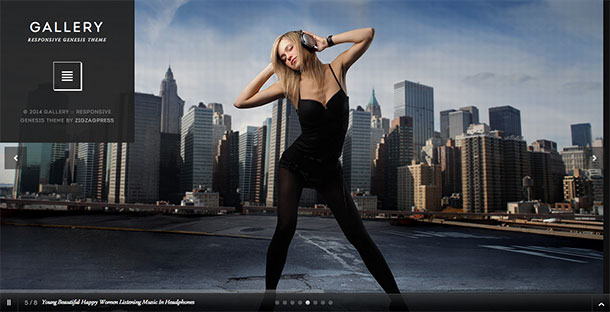
Gallery is a Genesis child theme built for photographers and visual creatives who want their work front and center. The front page opens with a large image gallery that displays photos in an elegant grid, giving visitors an immediate sense of your portfolio before they read a single word. The layout is designed to highlight images rather than compete with them, keeping typography and interface elements restrained so your photography does the talking.
The theme is fully responsive, which matters for photographers because potential clients often browse on phones after finding work through social media or Google image search. Gallery also works for graphic designers, illustrators, and other visual professionals who need a clean online portfolio that does not require much customization to look polished. If your work is strong, this theme gets out of the way and lets it show.
Foodie
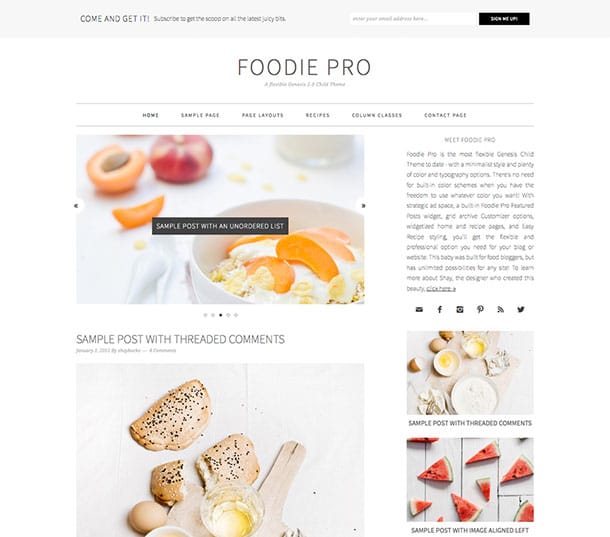
Foodie is a Genesis child theme built specifically for food bloggers and recipe sites. The design is warm and inviting, with a layout that puts large, appetizing photos front and center. It works well for bloggers who publish recipes regularly, with clear content structure that makes individual recipe posts easy to browse and read. The theme is compatible with popular recipe plugins that handle structured data markup for recipe rich results in Google Search, which can meaningfully improve organic traffic for food-focused content. If you plan to sell cookbooks, meal plans, or cooking courses, Foodie also plays well with WooCommerce so you can add a shop without switching themes. It is one of the more practical choices in the Genesis ecosystem for anyone building a food or cooking brand online.
Dharma
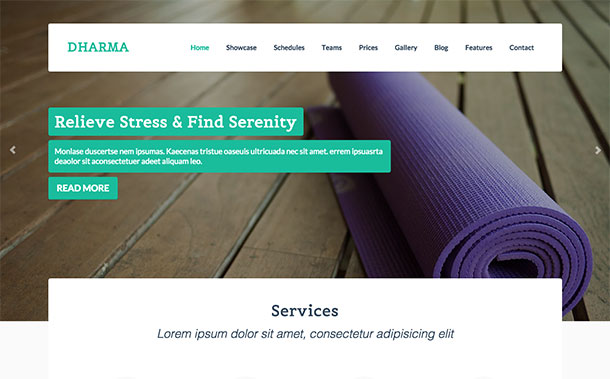
Dharma is a multipurpose Genesis child theme that covers a wider range of site types than most entries in the Genesis ecosystem. It handles business sites, blogs, and eCommerce setups with equal capability, which makes it a practical choice when you are not sure exactly how your site will evolve over time. The theme includes five custom widgetized areas, giving you a high degree of control over what appears on different parts of the page without needing to touch code.
Three built-in header layouts let you choose a presentation that fits your brand, whether that is a centered logo with full-width navigation, a traditional left-aligned header, or a more editorial-style layout. The advanced customization options are accessible through the WordPress Customizer, so changes are visible in real time before you publish. For site owners who want a Genesis theme that can adapt as their needs change, Dharma is the most flexible option on this list.
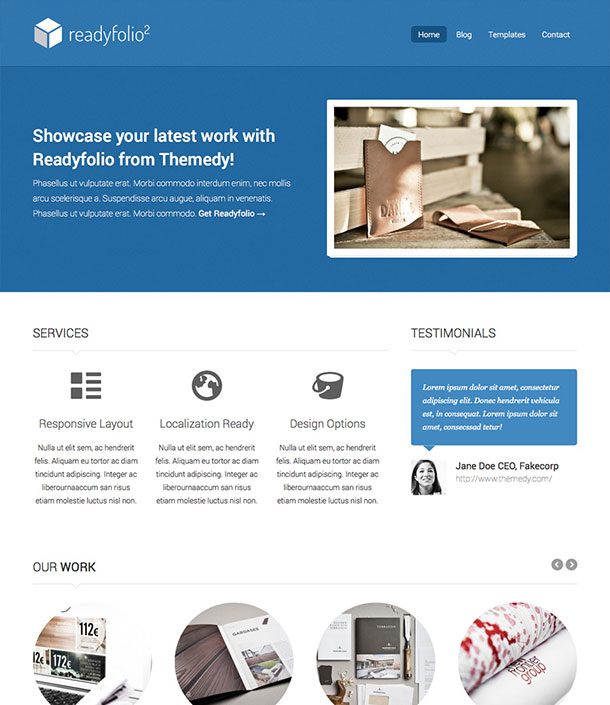
Readyfolio 2
Readyfolio 2 is a Genesis child theme designed for portfolio sites, whether you are an individual freelancer, a creative agency, or a business showcasing a body of work. The design leads with a clean, minimal aesthetic built around generous white space, which keeps the focus on the content you are displaying rather than the theme itself. Navigation is straightforward, making it easy for visitors to move between project categories or case studies without getting lost.
The theme is fully responsive, so your portfolio will display correctly on any screen size. This matters if you are sending potential clients to your site from a phone or expecting traffic from mobile users who found you through search. Readyfolio 2’s white space-heavy layout also makes it easier to customize colors and typography without the changes clashing with an already-busy design. If your work speaks for itself, this theme provides the right kind of quiet backdrop.
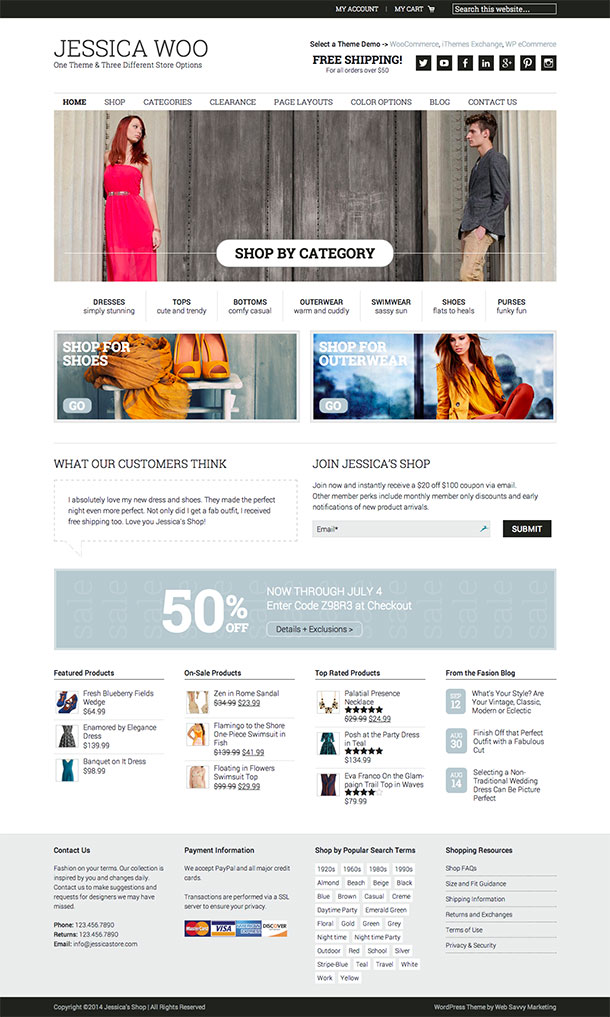
Jessica
Jessica is a Genesis child theme built for eCommerce, and it stands out for giving you three WooCommerce plugin integrations from the start: WooCommerce, iThemes Exchange, and WP eCommerce. Having those options pre-configured means you can choose the store plugin that best fits your products and workflow without rebuilding the theme around it. Six color schemes are included so you can match the theme’s visual style to your brand without custom CSS work.
The theme also supports a custom logo upload and a header widget area, which gives you space to place contact information, a phone number, or a trust signal like a security badge near the top of every page. Those small details matter in eCommerce because they affect whether a first-time visitor trusts the site enough to complete a purchase. Jessica is a solid pick for store owners who want multiple payment plugin options and do not want to start from a blank slate.
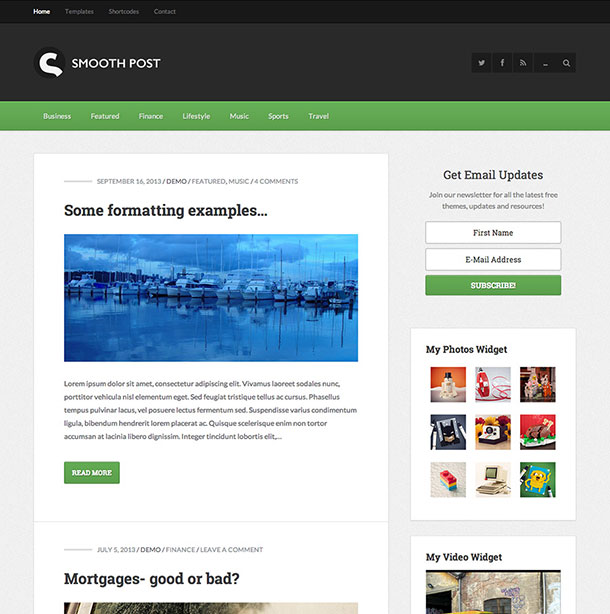
Smooth Post 2
Smooth Post 2 is a magazine-style Genesis child theme that works well for content-heavy sites including news blogs, trade publications, marketers, and organizations that publish regularly. If you are looking for a Genesis news child theme that balances editorial polish with clean performance, Smooth Post 2 is one of the stronger options in the ecosystem. The layout supports multiple header options and four different page layout configurations, giving you enough flexibility to present different categories of content in distinct ways.
The theme ships with a library of shortcodes that let you insert page elements directly into posts and pages without plugins. This is particularly useful for editorial teams that want to add callouts, featured sections, or column layouts to articles without touching code. The responsive design ensures the reading experience holds up on phones, which is critical for news and magazine sites where a significant share of readers arrive from mobile search or social sharing.
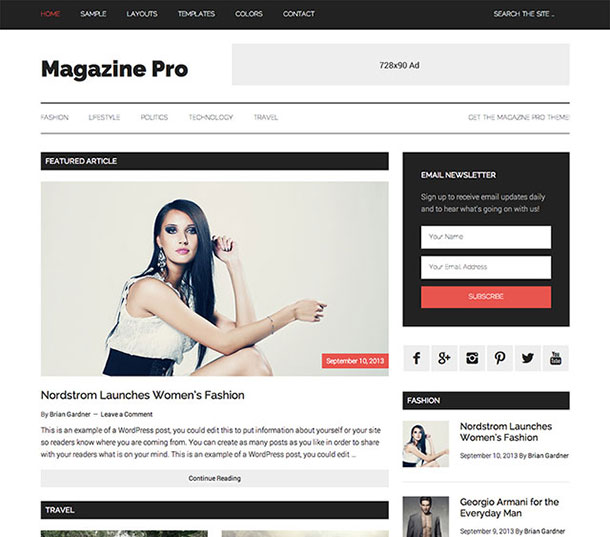
Magazine
Magazine is one of the most purpose-built Genesis news child themes in the StudioPress catalog. The front-page layout is designed specifically for publications that publish across multiple categories, surfacing recent content from different sections simultaneously so readers can scan headlines rather than hunting through a single chronological feed. If you are building an online magazine, local news site, or multi-author editorial publication on WordPress and want to use the Genesis Framework, this is the most direct fit.
The theme’s design is clean and modern, which helps with reader engagement because cluttered magazine layouts tend to send visitors away quickly. The content presentation makes it easy for readers to find and consume articles, and the responsive layout ensures the reading experience is consistent whether someone arrives on a desktop browser or a phone. For site owners who have been searching specifically for a Genesis news child theme, Magazine is the first option worth looking at seriously.
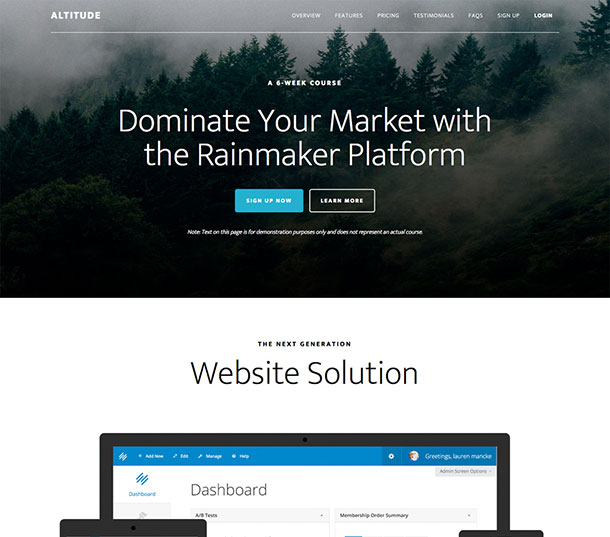
Altitude
Altitude is a Genesis child theme that makes a strong visual statement with its full-width background image support. The design places a large image behind a centered welcome message on the front page, creating an immediate impression that works well for businesses, agencies, and creatives who want their site to feel substantial from the first second a visitor arrives. Parallax scrolling adds depth as users move down the page, which makes the site feel more interactive without requiring any JavaScript customization.
The theme is compatible with WooCommerce, so if you decide to add a shop or sell digital products later, you can do so without switching themes. Altitude suits businesses that lead with a strong brand identity and want a full-screen visual moment at the top of their homepage. It also works for event organizers, photographers, and agencies that want to frame their work with an impactful header before getting into details.
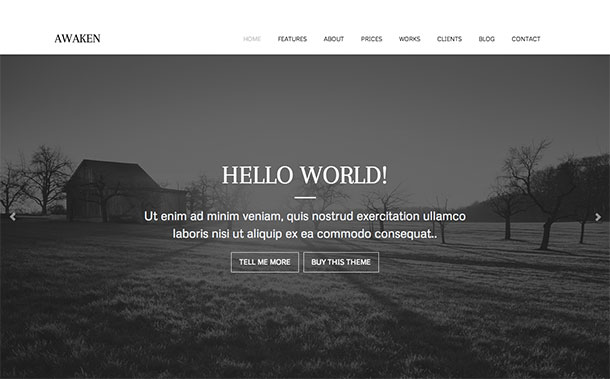
Awaken
Awaken is a warm, clean Genesis child theme suited to lifestyle bloggers, wellness brands, and food content creators. The layout is inviting and easy to read, with good support for image-heavy posts and category-based navigation. If you are building a food blog in particular, take a look at our guide to the best WordPress food blog themes for a broader set of options. Awaken pairs nicely with a content calendar approach and works well for sites that publish a consistent mix of articles, recipes, and personal stories.
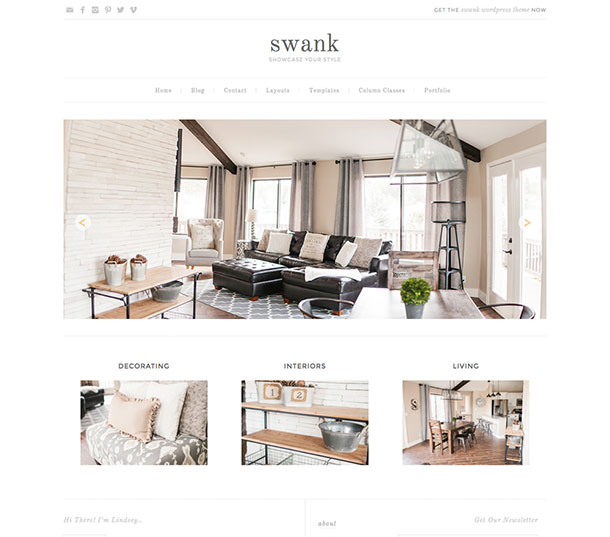
Swank
Swank is a minimal Genesis child theme built for bloggers and individuals who want to publish personal work online. The design is defined by clean typography and generous white space, which keeps the focus on written content rather than visual decoration. That restraint makes Swank one of the easier Genesis themes to customize, since a minimal base means color changes and font adjustments do not have to fight against an already complex layout.
The theme is fully responsive and works particularly well for personal blogs, writing portfolios, and sites where the writing itself is the main draw. If you want visitors to read your posts rather than get distracted by sidebars and widgets, Swank’s single-column-forward layout supports that goal. It is also a practical choice for lifestyle bloggers or creatives who want a professional-looking site without spending time on extensive theme configuration.
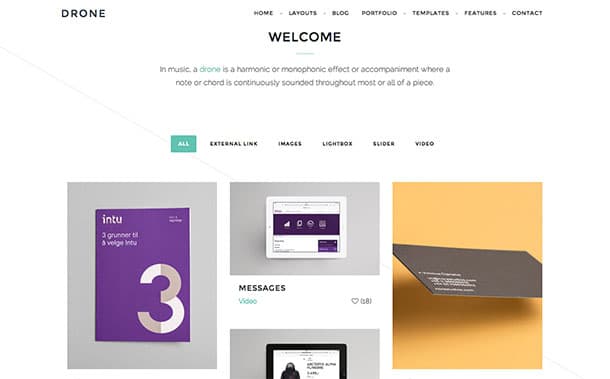
Drone
Drone is a Genesis child theme for visual portfolio sites, particularly suited to photographers, designers, and creative professionals who work with image-heavy content. The theme is built to present large numbers of images and graphics without the layout becoming cluttered, making it a better fit for visual portfolios than the typical business theme you might adapt for that purpose. Whether you are displaying a photography series, product mockups, or design case studies, Drone gives each piece of work enough visual space to be seen properly.
The theme is fully responsive, which is worth emphasizing for portfolio sites because clients and employers often view work on phones or tablets before deciding to reach out. Drone’s layout adapts across screen sizes without the image grid collapsing awkwardly or text elements overlapping visuals. If your online presence depends on showing creative work clearly and at scale, Drone is a focused choice that does not require much customization to look polished from day one.
Final Thoughts
Genesis child themes have a strong track record. Built on a framework known for clean code, security, and SEO-friendly structure, they give WordPress site owners a reliable starting point whether they are launching a business site, a food blog, or an online magazine. While the Genesis ecosystem has changed since WP Engine acquired StudioPress, the 15 themes in this list remain available and work well on modern WordPress installations.
The right choice depends on your site type. If you are building a news or editorial site, start with Magazine or Smooth Post 2. For portfolio work, Readyfolio 2 and Drone are the strongest options. If eCommerce is your focus, Patron and Jessica both ship with WooCommerce support out of the box. Take a look through the options above and pick the one that fits your goals.
If you want a narrower focus on the most widely used themes from StudioPress itself, see our guide to the top StudioPress WordPress themes to find which designs are most popular in the wild.
Related Posts



 Website Maintenance – Use Promocode: scanwp
  Advanced JetPlugins for Elementor
  Semrush 14 days trial
  Kinsta – Managed WordPress Hosting
  Bluehost Hosting