
9 WordPress Team Plugins Compared – 2026
Last modified: June 29, 2026

WordPress team plugins add a dedicated section to your site where you can display staff profiles, team members, founders, or partners, complete with photos, bios, job titles, and social media links. They work through shortcodes or page builder widgets, so you can place the team grid anywhere on your site without writing code. Here are the nine best options available right now.
What to Look for in a WordPress Team Plugin
Most WordPress teams plugin options cover the same basics: photo, name, job title, bio, and social links. The differences that matter for your specific site come down to these factors:
- Display formats: Grid, list, carousel, popup, and table layouts are all common. Check that the plugin supports the layout your design calls for before installing.
- Page builder compatibility: If you build with Elementor, Divi, or WPBakery, confirm the plugin has a native widget or shortcode that works inside that builder. The Team Pro and GS Team Members both have Elementor and WPBakery integrations.
- Custom fields: Most wordpress team members plugins support photo, name, title, bio, and social links. If you need department, phone, email, or role-based filtering, check whether those fields are available in the free version or require an upgrade.
- Shortcode vs widget: Shortcode-based plugins place a team grid anywhere you paste the code. Widget-based plugins restrict placement to sidebar areas. For maximum flexibility across pages and posts, shortcode support is more useful.
- WordPress.org install count: Install count is a reliable signal for plugin stability. Team Members has over 100,000 active installs; Employee Spotlight has over 50,000. Both are strong indicators that the plugin works reliably across many WordPress versions and theme combinations.
Free vs Paid WordPress Team Plugins
Six of the nine plugins below are free from the WordPress plugin repository: Team Showcase, Employee Spotlight, Team Builder, Team Members, TLP Team, and GS Team. These cover the standard use case of displaying staff profiles with photos, bios, and social links. For most small and medium-sized sites, a free option is the right starting point.
The three paid options (The Team Pro, Heroes Assemble, and GS Team Member) add layout variety, advanced filtering, popup profiles, and deeper page builder integrations. Start with a free plugin and upgrade only if you hit specific limitations.
WordPress Team Management vs Team Showcase Plugins
A team showcase plugin displays existing member data visually. A wordpress team management plugin also helps you organize, group, and assign members to departments or projects. Team Builder sits in the management category: it includes a drag and drop builder for reordering members and a group assignment system for displaying separate department sections. If you manage a larger organization with multiple departments, Team Builder handles both display and structure.
| # | Name | Image | |
|---|---|---|---|
| 1 |
The Team Pro-Team Showcase Plugin
|
|
More Info
|
| 2 |
Heroes Assemble-Team Showcase WP Plugin
|
|
More Info
|
| 3 |
GS Team Member
|

|
More Info
|
| 4 |
Team Showcase-Display Your Team Members
|
|
More Info
|
| 5 |
Employee Spotlight-Showcase Your Employees/Founders/Staff
|

|
More Info
|
| 6 |
Team Builder-Easily Display your Team
|

|
More Info
|
| 7 |
Team Members- Showcase Your Employees
|

|
More Info
|
| 8 |
TLP Team-Showcase Your Team
|
|
More Info
|
| 9 |
GS Team-Responsive Plugin
|

|
More Info
|
* This button will show the rest of the post and open up an offer from a vendor
Filter between free and paid
The Team Pro-Team Showcase Plugin
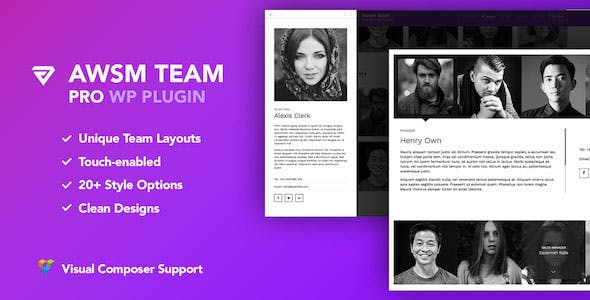
The Team Pro plugin gives you more than 25 layout options for displaying team members, covering grid, carousel, list, filter, and popup styles. Each profile can hold a photo, name, designation, bio, social links, and custom fields you define. The plugin has native compatibility with both Visual Composer and Elementor, so if you’re building inside a page builder you don’t need to leave the editor to add a team section.
The shortcode output is fully responsive and renders correctly on all screen sizes without configuration. Custom ordering lets you arrange members manually rather than relying on publish date. This is a paid plugin, so it’s best suited to sites that need a polished, fully featured team grid from the start rather than starting with a free option and upgrading later.
Heroes Assemble-Team Showcase WP Plugin
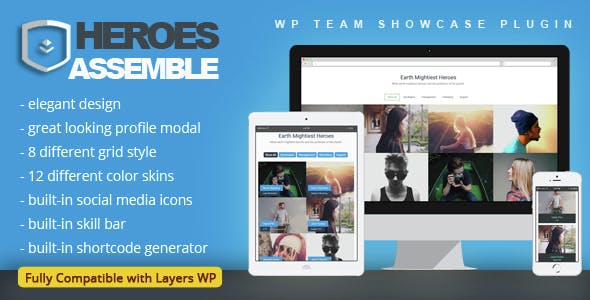
Heroes Assemble is a free WordPress team plugin focused on clean, minimal card layouts. Each member card shows a photo, name, job title, short description, and social media icons. The grid adapts to screen size automatically, and the plugin is translation-ready out of the box, which is useful if you run a multilingual site or serve an international audience.
You add and manage members through a custom post type in the admin panel, and the shortcode places the grid wherever you need it. The plugin doesn’t have the template variety of some premium options, but for a straightforward responsive team grid that installs quickly and doesn’t require configuration, Heroes Assemble covers the basics well.
GS Team Member
The GS Team Members plugin stands out for its variety of display templates: Grid, Circle, Horizontal, Drawer, Table, List, Slider, Popup, Filter, Panel, and Grayscale views are all available, giving you more layout control than most free team plugins. Over 50 pre-built templates let you start from a working design and customize from there.
Each team member profile supports a photo, name, designation, bio, and social links. The plugin works with most WordPress themes and uses a shortcode to place the grid on any page or post. If your main concern is having visual variety in how the team section looks, GS Team Members has more options than competitors at the same price point.
Team Showcase-Display Your Team Members
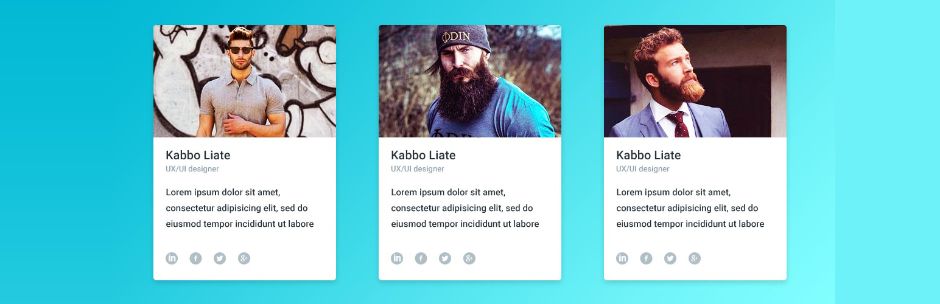
Team Showcase is a free WordPress plugin focused on simplicity. It outputs pure HTML and CSS, which means it loads fast and has no JavaScript overhead. Members are displayed in a responsive grid that adjusts column count for phones, tablets, and desktops automatically. You can show profile photos, bios, social media links, and custom fields, and the drag-and-drop sorting in the admin panel lets you reorder profiles without touching code.
Three display layouts are available: grid, circular card, and table. The shortcode system is straightforward. For a small business or agency that needs a clean, no-frills team section on a tight deadline, Team Showcase gets the job done without requiring paid upgrades.
Employee Spotlight-Showcase Your Employees/Founders/Staff
Employee Spotlight is built specifically for staff directories rather than just visual grids. You can display employees, founders, staff, partners, or any role-based group. Each profile supports a photo, bio, job title, email, phone, and custom fields. Five display formats are available: grid, list, slider, filtered grid, and directory search, which makes it useful for larger organizations where visitors need to find a specific person by department or role.
The plugin uses shortcodes and is compatible with most page builders. There’s also a search and filter system that lets site visitors narrow the directory by department or location, which separates Employee Spotlight from simpler showcase plugins. If you’re building an HR-style staff directory rather than a simple team showcase, this is the more appropriate choice.
Team Builder-Easily Display your Team
Team Builder is both a team display plugin and a team management plugin, which sets it apart from simpler showcase options. It includes a drag and drop builder so you can reposition elements by dragging them rather than writing code. Each team member profile can include a name, avatar, designation, email, phone, and social links. The management side lets you assign members to groups, which is useful if your organization has departments or divisions you want to display separately.
Team Members- Showcase Your Employees
Team Members is a straightforward WordPress team showcase plugin with over 100,000 active installs on the WordPress plugin repository. You add team members through a custom post type in the admin panel, then place them on any page using a shortcode. Each profile supports a photo, name, job title, bio, social links, and a custom position field for ordering.
The output is responsive and works across all screen sizes. The plugin doesn’t offer the visual variety of GS Team Member or the filtering tools of Employee Spotlight, but it has strong documentation and a wide install base, which means compatibility with most themes is reliable and support questions are usually answered quickly.
TLP Team-Showcase Your Team
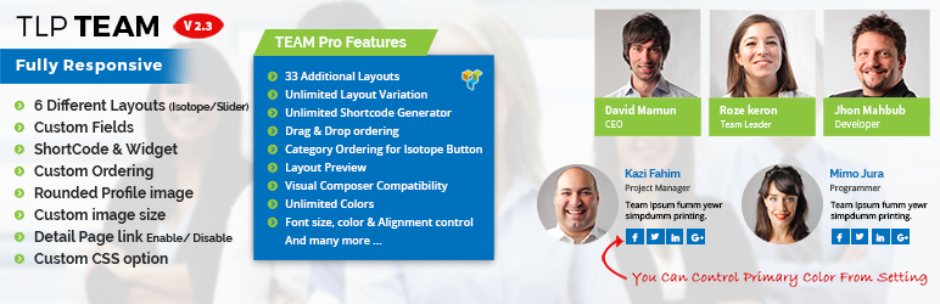
TLP Team is a fully responsive WordPress team plugin that formats correctly on any device or screen size. From the admin panel you can add team members, set a primary color, choose image size, and adjust layout options. There is a built-in shortcode generator, so placing the team grid on any page or post is straightforward even without page builder experience. Both free and paid versions are available.
The free version covers the core use case: add team members with photos, names, designations, and social links, then display them in a responsive grid using the shortcode. The paid upgrade adds additional layout styles, custom fields, and carousel display. For sites that need a simple team grid without complex configuration, the free version is sufficient.
- Built-in shortcode generator for easy placement
- Primary color customization from the admin panel
- Responsive grid layout on all screen sizes
- Free and paid tiers available
GS Team-Responsive Plugin
The GS Team plugin is one of the most widely used free responsive team member plugins for WordPress. It lets you display each team member’s photo, name, designation, and social media links. Shortcodes control where the content appears, so you can place team grids anywhere on your site. It is a good choice if you want a free, no-frills wordpress teams plugin that installs quickly and covers the standard team showcase use case.
Unlike GS Team Member (a separate paid product from the same developer), GS Team is completely free with no upgrade required. The trade-off is fewer display templates: GS Team offers grid and list formats, while GS Team Member adds sliders, popups, filter panels, and 50+ pre-built templates. If layout variety is not a priority, GS Team delivers the core functionality without any cost.
- Completely free, no paid tier required
- Responsive grid and list display formats
- Shortcode placement anywhere on the site
- Simpler alternative to GS Team Member from the same developer
Final Word: Best WordPress Team Plugins
For most sites, the free plugins here , Team Showcase, Employee Spotlight, Team Builder, Team Members, TLP Team, and GS Team , will handle the core use case of displaying staff with photos, bios, and social links. The difference comes down to layout variety and admin controls.
If you need more advanced options like multiple display themes, popup profiles, or deep page builder integration, the paid options (The Team Pro, Heroes Assemble, GS Team Member) add those capabilities. Start with a free plugin and upgrade if you hit its limits.
If you build with Elementor, the Team Members plugin and TLP Team both work reliably with Elementor shortcodes. For a native Elementor widget experience, Elementor Pro’s Team Member widget is built-in and handles the most common display needs without a separate plugin. If you’re also building out a portfolio or project showcase section beyond your team, our guide to the best portfolio widget for Elementor covers options for displaying projects and creative work alongside your team page.
- The Team Pro-Team Showcase Plugin
- Heroes Assemble-Team Showcase WP Plugin
- GS Team Member
- Team Showcase-Display Your Team Members
- Employee Spotlight-Showcase Your Employees/Founders/Staff
- Team Builder-Easily Display your Team
- Team Members- Showcase Your Employees
- TLP Team-Showcase Your Team
- GS Team-Responsive Plugin
- Conclusion
Related Posts




 Website Maintenance – Use Promocode: scanwp
  Advanced JetPlugins for Elementor
  Semrush 14 days trial
  Kinsta – Managed WordPress Hosting
  Bluehost Hosting