
13 Doctor WordPress Themes Compared - 2026
Last modified: June 21, 2026

Building a website for a medical practice requires more than a standard WordPress theme. Patients expect to find essential information quickly: your location, hours, services, and a way to book appointments. Doctor WordPress themes are designed with these needs in mind. They include medical-specific layouts, appointment booking compatibility, staff profile sections, and trust-building design elements like patient testimonials and certification displays.
What Separates a Medical WordPress Theme from a Standard One
A general-purpose theme can technically work for a medical site, but dedicated doctor WordPress themes include features that make a practical difference for patient-facing websites:
- Appointment booking integration: Most are compatible with booking plugins like Amelia, Bookly, or LatePoint so patients can schedule visits directly from your website without calling the office
- Service and department pages: Pre-built layouts for listing specialties, departments, and individual doctors with photo, bio, and contact details
- Patient trust signals: Testimonial sections, certification displays, and star rating areas are typically part of the default design
- Professional, clean aesthetics: Medical sites need to project credibility; cluttered or overly decorative designs reduce patient confidence
- Mobile-first performance: Many patients search for doctors from smartphones; a theme with poor mobile formatting will cost you new patient inquiries before they even read your services page
The themes below work for individual doctors, multi-provider clinics, hospitals, and specialist practices including dental, optometry, dermatology, and physiotherapy. Several also suit adjacent wellness businesses like spas, massage therapy studios, and physiotherapy practices. Whether you need a simple brochure site or a full-featured WordPress design for doctors with online booking, there is an option in this list.
Designing Your Medical Website: What Patients Actually Look For
Choosing a theme is only part of building an effective WordPress design for doctors. The layout and features you prioritize should be driven by how patients actually use medical websites, not just by what looks good in a demo. Most visitors arrive with a specific question: Can I book an appointment? Do you treat my condition? Are you accepting new patients? Your design should answer those questions within the first scroll.
Here are the elements patients look for, and what to prioritize when configuring your chosen theme:
- Contact forms that respect patient privacy: Standard contact forms are not appropriate for collecting health information. Use a plugin like WPForms with HIPAA-conscious settings, avoid storing sensitive data in your WordPress database, and pair your form with an encrypted email service. Prominently label what your form is for and what you will do with the information.
- Certification and credential displays: Patients deciding between providers look for board certifications, medical school affiliations, years in practice, and professional memberships. Most medical themes include a dedicated credentials section; use it rather than burying your qualifications in a bio paragraph.
- Patient count and social proof: Specific numbers build more trust than vague claims. “Treated over 4,000 patients since 2015” is far more credible than “experienced and trusted.” If you have before/after galleries for visual specialties like dermatology or orthodontics, most medical themes include a portfolio or gallery section for exactly this purpose.
- Google Business profile integration: Many patients land on your website after seeing your Google Business listing. Make sure your address, phone number, and hours on your site match your Google Business profile exactly. Some medical themes include a Google Maps embed block; place it near your contact information so patients can confirm the location at a glance.
- Accessibility considerations: Medical patients include elderly visitors, people with low vision, and users relying on screen readers. Choose a theme with strong contrast ratios, legible base font sizes (16px minimum), and keyboard-navigable menus. Several themes in this list score well on accessibility out of the box; check the theme documentation for WCAG compliance notes before purchasing.
- Clear calls to action above the fold: Every page should make it obvious what a patient should do next. A “Book an Appointment” button in the header, visible on mobile without scrolling, can meaningfully increase conversion from visitor to patient inquiry.
These considerations apply regardless of which theme you choose. The best WordPress design for doctors balances visual professionalism with practical usability, and the themes below were selected with both in mind.
| # | Name | Image | |
|---|---|---|---|
| 1 |
Doctor-Health/Medical Theme
|
|
More Info
|
| 2 |
Medicare-WordPress Medical and Health Theme
|
|
More Info
|
| 3 |
Dr. Patterson-Health/Medical/Beauty Theme
|
|
More Info
|
| 4 |
Medici-Medical WordPress Theme
|
|
More Info
|
| 5 |
HolaMed-Multipurpose Medical theme
|
|
More Info
|
| 6 |
Doctor Carter-Medical WP Theme
|
|
More Info
|
| 7 |
Renewal-Responsive Medical Field Theme
|

|
More Info
|
| 8 |
Divi-Multipurpose WordPress Theme
|

|
More Info
|
| 9 |
HouseMed-Multipurpose Medical And Health Theme
|
|
More Info
|
| 10 |
Optico-Optometrist/Eye Care Theme
|

|
More Info
|
| 11 |
Accu-Medical WP Theme
|
|
More Info
|
| 12 |
Docotorsline-Doctor Theme
|

|
More Info
|
| 13 |
Neve
|

|
More Info
|
* This button will show the rest of the post and open up an offer from a vendor
Filter between free and paid
Doctor-Health/Medical Theme
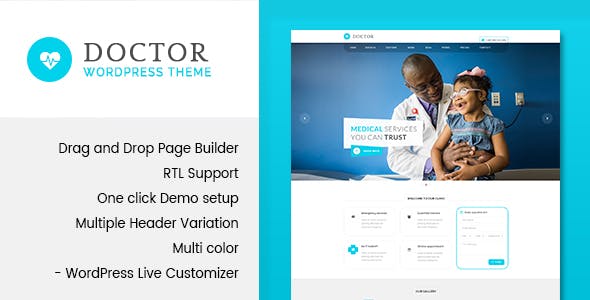
The Doctor theme is one of the more appropriately named options in this list, and it backs up that name with a layout built specifically for medical practices rather than adapted from a general-purpose design. The theme ships with a Visual Composer (WPBakery) page builder license, which makes it possible to rearrange sections, add new content blocks, and build out service pages without writing any code. The admin panel is straightforward, and the theme’s settings are organized well enough that a practice manager with no web development background can handle routine updates.
The included demo content covers the core pages a medical website needs: a homepage with a services overview, individual doctor profile pages with photo and credentials, a contact page, and a blog. You can import the demo with one click and replace the placeholder content with your own. The theme is compatible with appointment booking plugins, so you can add online scheduling without replacing the rest of the design. For practices that want a clean, no-frills medical aesthetic without spending hours on customization, Doctor is a solid starting point.
Medicare-WordPress Medical and Health Theme
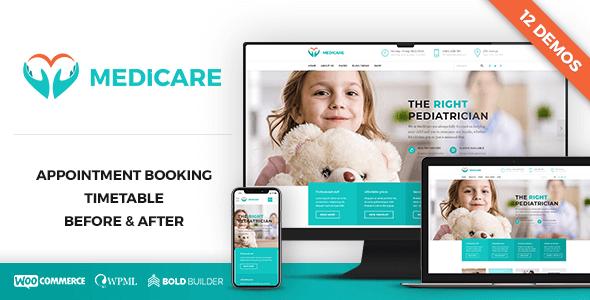
Medicare is one of the few themes in this category that was built exclusively for medical and health businesses from the start. The theme documentation lists health clinics, dental offices, veterinary practices, and clinical services as its target use cases, and the default layout reflects that focus. Every homepage section has a clear purpose: a services summary, a doctor profile area, a patient testimonials block, and a contact section with an embedded appointment booking form.
The built-in appointment booking form is worth highlighting because it is integrated directly into the theme rather than bolted on through a separate plugin. For practices that want a simple scheduling option without configuring a third-party booking plugin, this saves setup time. The theme is retina-ready and fully responsive, so images render sharply on high-resolution displays and the layout adapts cleanly to smaller screens. Medicare is a particularly good fit for dental and veterinary practices that want a structured, professional design without a lot of configuration overhead.
Dr. Patterson-Health/Medical/Beauty Theme
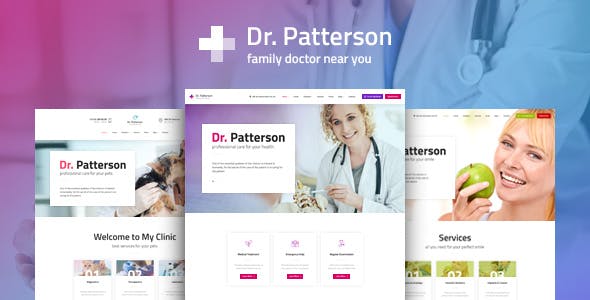
Dr. Patterson takes a broader approach than some medical themes, covering hospitals, clinics, nursing care agencies, beauty salons, and spas within a single design system. That flexibility is genuinely useful if you run a practice that crosses medical and wellness categories, such as a medical spa, an aesthetic dermatology clinic, or a physiotherapy center that also offers massage therapy. The layout is clean and professional enough for a clinical setting while remaining warm enough for wellness-oriented businesses.
The built-in booking calendar is one of the standout features. Patients can choose a date and request an appointment directly from the site, which works particularly well for solo practitioners who want to reduce phone call volume. The theme includes four color schemes out of the box, so you can match your practice’s existing brand colors without custom CSS work. A homepage slider is also included for displaying hero images or promotional banners. Dr. Patterson is a strong all-around choice for practitioners who want a polished design that works equally well for a medical clinic or a wellness-focused practice.
Medici-Medical WordPress Theme
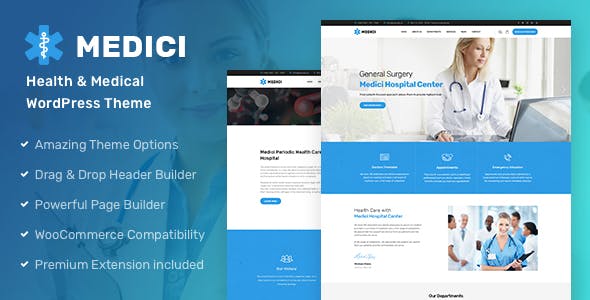
Medici covers a wide range of medical specialties, with the theme developer specifically listing chiropractors, pediatricians, psychiatrists, surgeons, general hospitals, and veterinary clinics as intended users. The design is clean and professionally structured, with a layout that prioritizes service information and doctor credentials on the homepage. For practices with multiple providers or departments, Medici’s multi-doctor profile setup works well: each provider gets their own card with photo, specialty, and contact link.
Despite its medical focus, Medici is built to be adaptable. The page builder integration means you can add sections, reorder content, and create new page types without editing theme files. The default design features good use of white space and a restrained color palette, both of which contribute to the credible, clinical impression patients respond to. Medici is a particularly good fit for specialty practices like psychiatry or pediatrics that want a structured layout rather than a generic “any doctor” design.
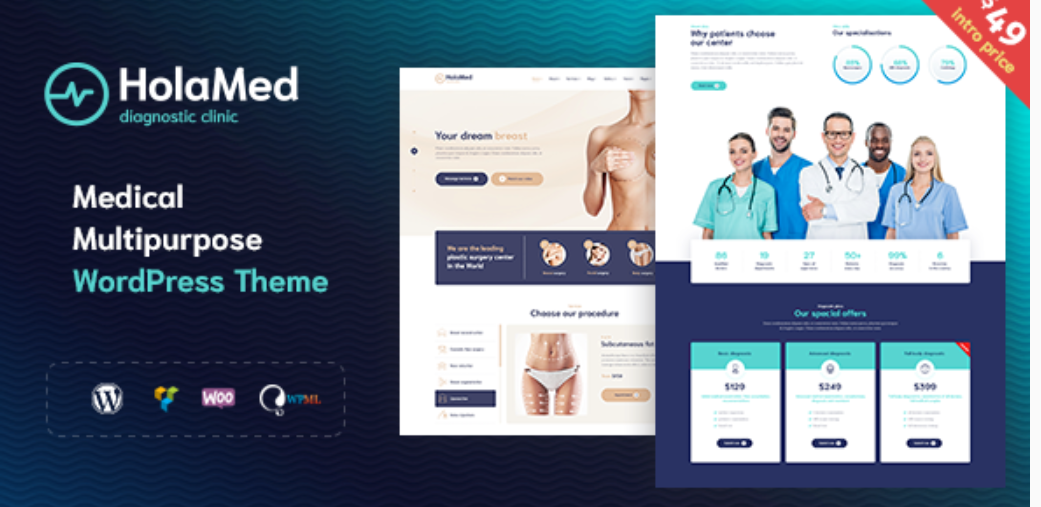
HolaMed-Multipurpose Medical theme
HolaMed is positioned as a multipurpose medical theme, and it earns that label with a layout system that works across plastic surgery clinics, diagnostic centers, massage studios, private practices, therapist offices, and dental businesses. The design philosophy is clean and minimal, which keeps the focus on your services and staff rather than on decorative elements. For multi-specialty clinics, this matters: a busy or overly styled layout can make it harder for patients to quickly identify the department or service they are looking for.
The drag-and-drop page builder makes it practical to build out multiple department pages with consistent layouts, and retina-ready images ensure your staff photos and facility images look sharp on modern screens. HolaMed is particularly well suited to larger clinics that need to present several service lines on a single site, or to practices like plastic surgery and aesthetics where high-quality photography and a refined visual presentation are part of the patient experience. If you are building a site for a multi-provider clinic and need layout flexibility without custom development, HolaMed is worth a close look.
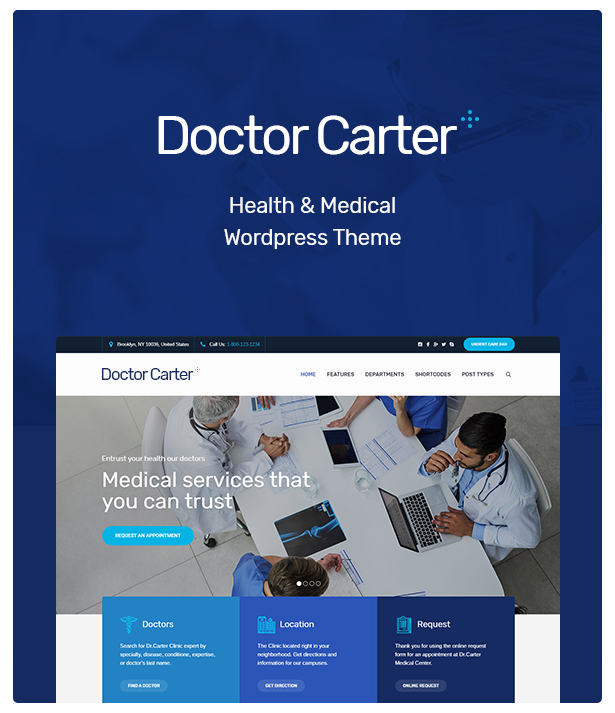
Doctor Carter-Medical WP Theme
Doctor Carter covers the full range of general medical practice types: pediatric clinics, dental offices, therapy practices, hospitals, and ambulance services are all listed as intended use cases in the theme documentation. The design is structured and professional, with a homepage layout that leads with a services summary and moves quickly to a provider profile section and contact information. The fully responsive layout adapts well to mobile screens, which matters given that a significant share of patients search for doctors on their phones.
The built-in calendar feature is the most practical element for day-to-day use. Patients can book appointments directly from the website rather than calling the office, which reduces administrative workload and gives patients the on-demand scheduling experience they increasingly expect. Doctor Carter also includes retina-ready image support, so headshots and facility photos look sharp on high-resolution displays. It is a well-rounded option for general and family practices that want a clean medical aesthetic, online scheduling, and solid mobile performance without a complex setup process.
Renewal-Responsive Medical Field Theme
Renewal was designed specifically for hospitals, health clinics, and wellness organizations, but the theme works equally well for individual practitioners including doctors, pediatricians, and nurses. The layout is clean and content-focused, with a design that puts service information and contact details front and center. Unlike some medical themes that lean heavily on visual flair, Renewal keeps the aesthetic professional and restrained, which tends to perform better with patients looking for a trustworthy clinical presentation.
The three gallery layout options are a useful addition for practices that want to showcase their facility, equipment, or team in different formats without installing a separate gallery plugin. Contact Form 7 is bundled with the theme, giving you a starting point for patient inquiry and appointment request forms. The fully responsive design handles the transition between desktop and mobile cleanly. Renewal is a good fit for health clinics and wellness centers that want a dependable, no-frills design that they can customize gradually as their site grows.
Divi-Multipurpose WordPress Theme
Divi is not a medical-specific theme, but it earns a place in this list because its visual builder is more capable than any theme built exclusively for the medical market. For practices with specific branding requirements, unusual service structures, or visual specialties like cosmetic surgery or dermatology, Divi’s flexibility makes it possible to build exactly the layout you need rather than adapting a pre-set medical template. The builder uses a drag-and-drop interface with over 40 content modules, and you can save custom layouts to reuse across pages.
Elegant Themes provides medical-focused starter layouts in the Divi library, so you are not starting from a blank page. These pre-built medical designs cover homepage layouts, doctor profile pages, service pages, and appointment request forms. The trade-off with Divi is setup time: getting a medical site configured to match the quality of a purpose-built medical theme takes more work upfront. For practices with specific design requirements or those working with a web developer, that trade-off is worthwhile. For practitioners who want a professional site without configuration overhead, a dedicated medical theme will be faster to launch.
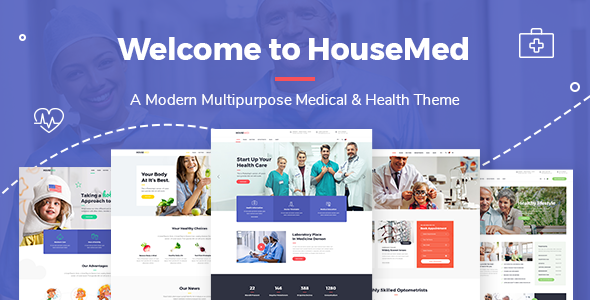
HouseMed-Multipurpose Medical And Health Theme
HouseMed is built for larger medical operations: multi-provider clinics, health centers, and practices that offer multiple service lines on a single site. The WPBakery page builder is included, giving you the tools to build out department-specific pages, individual provider profiles, and service landing pages with consistent formatting. WooCommerce compatibility is built in, which is useful for practices that sell health products, supplements, or home care equipment alongside their clinical services.
The Google Maps integration is a practical feature that is sometimes overlooked in medical theme comparisons. Patients who find your site through a search are often trying to confirm your location before booking; embedding a map directly on your contact page or in your footer removes one step from that process. HouseMed’s fully responsive layout handles mobile formatting well, and the overall design aesthetic is clean and appropriately clinical. This theme is best suited to established practices and multi-provider clinics that need a structured, scalable site rather than a simple single-doctor presence.
Optico-Optometrist/Eye Care Theme
Optico is built for a specific niche within the medical field: optometry and eye care practices. The theme explicitly targets ophthalmologists, laser vision correction centers, and general optometry clinics, and the default layout reflects that focus rather than trying to serve every type of medical practice. If you run an eye care office, this specificity is an advantage. The design language, imagery placeholders, and pre-built page structures are already calibrated for vision-related services rather than requiring you to adapt a general medical layout.
Google Fonts integration gives you access to a wide range of typography choices, which is useful for practices that want to match their existing brand identity. The Visual Composer page builder is included, so you can add pages, reorganize sections, and update content without development work. Retina-ready image support ensures that eye chart graphics, equipment photos, and staff headshots display sharply on modern screens. Optico is the most logical starting point for any eye care or optometry practice looking for a dedicated WordPress theme.
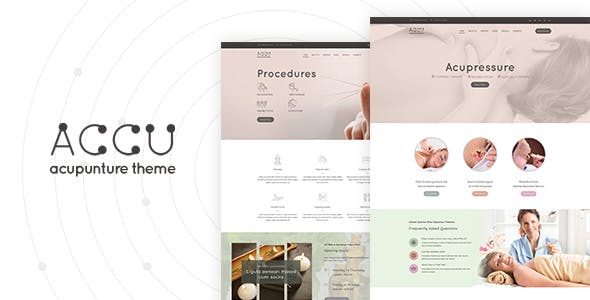
Accu-Medical WP Theme
Accu takes a bundle-heavy approach: the theme ships with Layer Slider, Contact Form 7, Slider Revolution, WooCommerce, Unyson, Ultimate Addons, an Event Calendar, and WPBakery all included. For a medical practice that needs several of these tools anyway, this is a meaningful value advantage since each of these plugins would otherwise require a separate purchase or subscription. The trade-off is initial setup complexity; a theme that ships with eight bundled plugins requires more configuration time than a simpler option.
WPML compatibility is one of Accu’s more distinctive features. For medical practices that serve multilingual patient populations, being able to run a fully translated site from a single WordPress installation is a significant practical benefit. This makes Accu particularly well suited to clinics in cities with large non-English-speaking communities, or international medical facilities serving patients in multiple languages. WooCommerce compatibility adds the option to sell health products or appointment packages directly through the site. For practices that need a feature-dense, plugin-rich starting point and have the time to configure it properly, Accu delivers more out of the box than most medical themes.
Docotorsline-Doctor Theme
Doctorsline is the only free theme on this list, and it works differently from every other option here: it is a single-page theme. All of your content, including your services, doctor bio, contact information, and any other sections you add, lives on one scrollable page rather than across multiple pages with separate URLs. This is an intentional design choice that works well for specific circumstances but is a significant limitation for others.
For a solo practitioner with a small, focused practice, a single-page site is actually a practical fit. Patients can find everything they need without navigating between pages, and the site is far simpler to maintain than a multi-page setup. The theme is SEO-friendly and fully responsive, so it performs well on mobile and can rank for local search terms. However, if you plan to add a blog, individual service pages, a staff directory, or content marketing over time, Doctorsline is not the right foundation. It is best treated as a starter option for a new solo practice that needs a clean, professional online presence quickly and at no cost, with the expectation of migrating to a more full-featured theme as the practice grows.
Neve
Neve is a lightweight, fast-loading theme that was built with performance as a primary design constraint rather than an afterthought. For medical websites, this matters more than it might for other industries: patients searching for a doctor on a mobile connection expect pages to load quickly, and Google’s Core Web Vitals scores factor into local search rankings. Neve consistently scores well on performance benchmarks, which gives it a technical advantage over some of the heavier medical-specific themes in this list.
The theme includes over 80 starter site demos, and several of these are built specifically for medical and health businesses. You can import a medical demo with one click and replace the placeholder content with your practice’s information, staff photos, and service descriptions. Neve works with every major page builder: Elementor, Brizy, Beaver Builder, Visual Composer, SiteOrigin, and Divi are all fully supported. This means you are not locked into a single editing tool, and you can switch page builders without rebuilding your layout from scratch.
WooCommerce compatibility is built in for practices that want to sell products or appointment packages through the site. Neve’s header and footer builder lets you configure navigation, contact details, and calls to action in the global layout without editing theme files. For a medical practice that wants a fast, flexible, professionally designed site with strong page builder support and the option to expand into ecommerce, Neve is the most versatile option in this list and one of the best all-around choices for practitioners who plan to manage their own site long-term.
For a medical practice, your website is often a patient’s first impression, and the theme you choose sets the foundation for everything built on top of it. Dedicated medical themes save significant setup time compared to adapting a general-purpose theme, since appointment booking compatibility, staff profile pages, and service listings come ready to use out of the box.
Neve and Dr. Patterson are strong all-around choices for solo practitioners and small group practices. The Doctor and Medicare themes suit practices that want a more traditional clinical look with structured layouts. For larger clinics or multi-provider practices, HouseMed and HolaMed offer the most layout flexibility. Optico is the clear pick for eye care and optometry practices, while Doctorsline works well for a solo practitioner who needs a clean, no-fuss single-page presence.
If your primary goal is a polished WordPress design for doctors that you can build without a developer, prioritize themes with strong page builder support and pre-built medical demo content. Whichever theme you choose, keep the mobile experience as a top priority: most new patient inquiries now come from smartphones, and a slow or hard-to-read mobile site will cost you before patients even read about your services.
- Doctor-Health/Medical Theme
- Medicare-WordPress Medical and Health Theme
- Dr. Patterson-Health/Medical/Beauty Theme
- Medici-Medical WordPress Theme
- HolaMed-Multipurpose Medical theme
- Doctor Carter-Medical WP Theme
- Renewal-Responsive Medical Field Theme
- Divi-Multipurpose WordPress Theme
- HouseMed-Multipurpose Medical And Health Theme
- Optico-Optometrist/Eye Care Theme
- Accu-Medical WP Theme
- Docotorsline-Doctor Theme
- Neve
- Conclusion
Related Posts



 Website Maintenance – Use Promocode: scanwp
  Advanced JetPlugins for Elementor
  Semrush 14 days trial
  Kinsta – Managed WordPress Hosting
  Bluehost Hosting